
The Cross-Platform Recipe App That Cooks With Your Kitchen
Stop losing recipes and wasting groceries. CookFlic imports from anywhere, connects your saved recipes to what's actually in your kitchen, and syncs across iPhone, iPad, Mac, and Android — so you always know what to cook tonight.
Capture recipes from anywhere
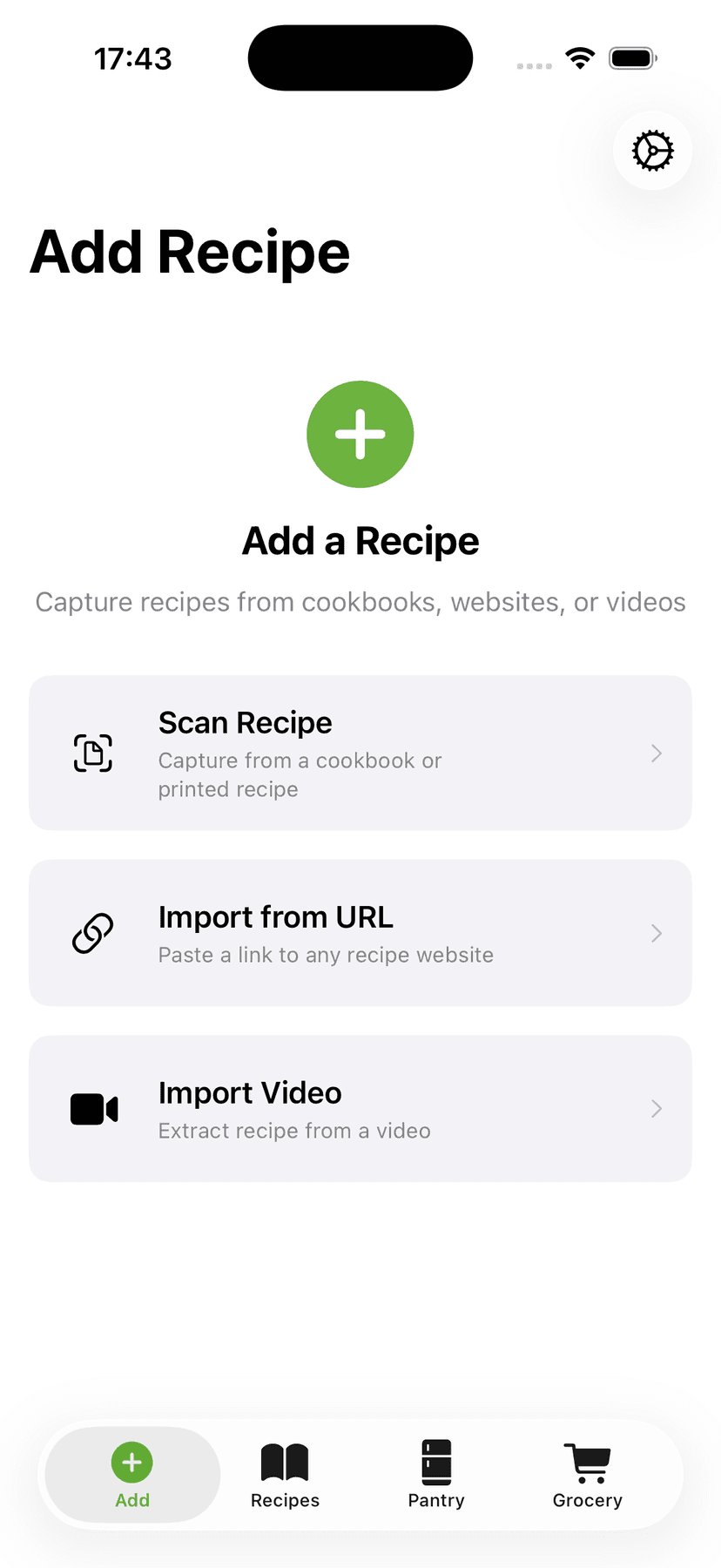
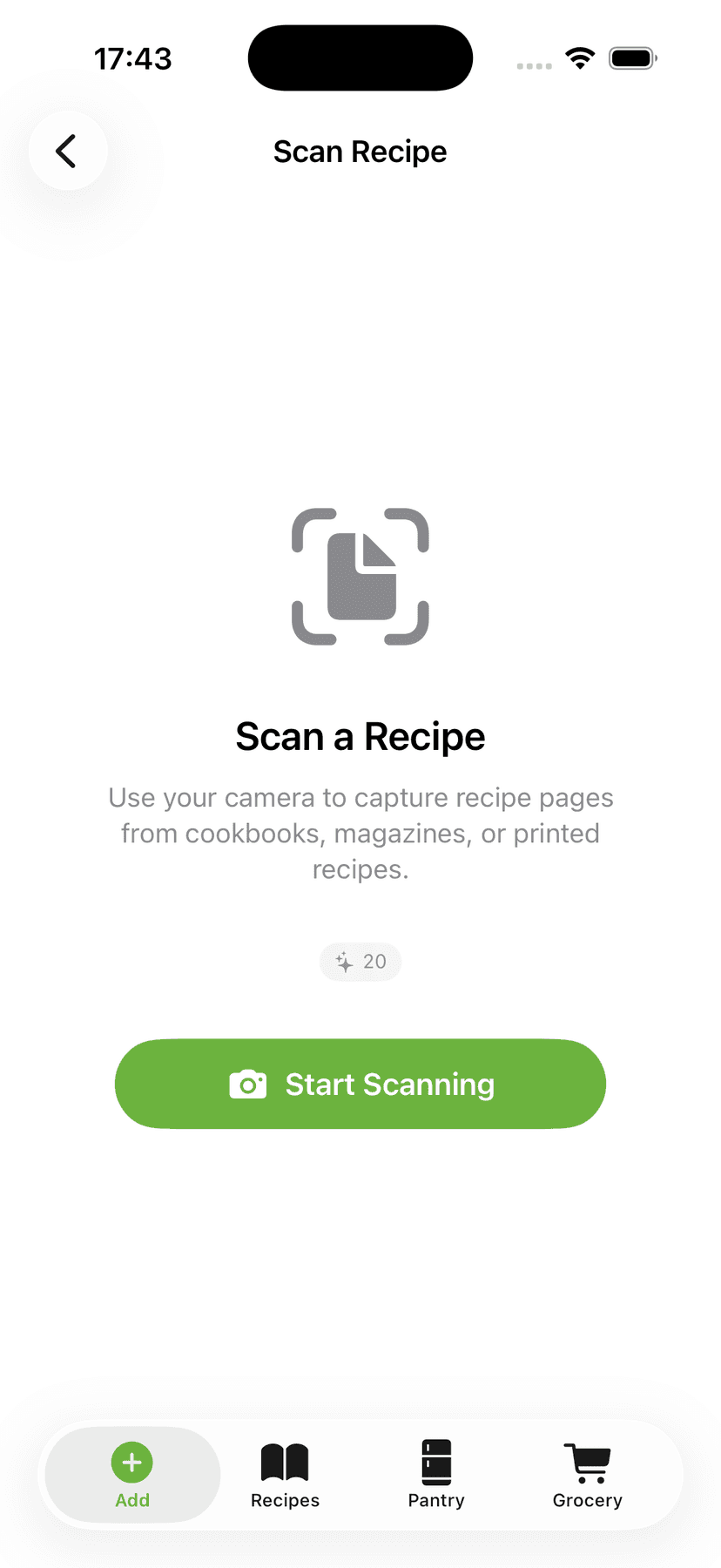
Most recipe apps make you type everything by hand. CookFlic doesn't. Paste a link from any recipe site and it imports the clean recipe — no ads, no life story. Share a TikTok or YouTube cooking video straight from the share sheet — or many Instagram videos — and CookFlic pulls out the ingredients and steps. Snap a photo of a cookbook page or handwritten card, import a PDF, or paste plain text. Already on Paprika? Import your recipes straight from its export file. However your recipe shows up, CookFlic gets it in — fast.
- ✓Import from any recipe link — pages with recipe data import free
- ✓Save TikTok, YouTube & most Instagram recipes from the share sheet
- ✓Scan a photo, import a PDF, or bring your Paprika recipes
All your recipes, on every device
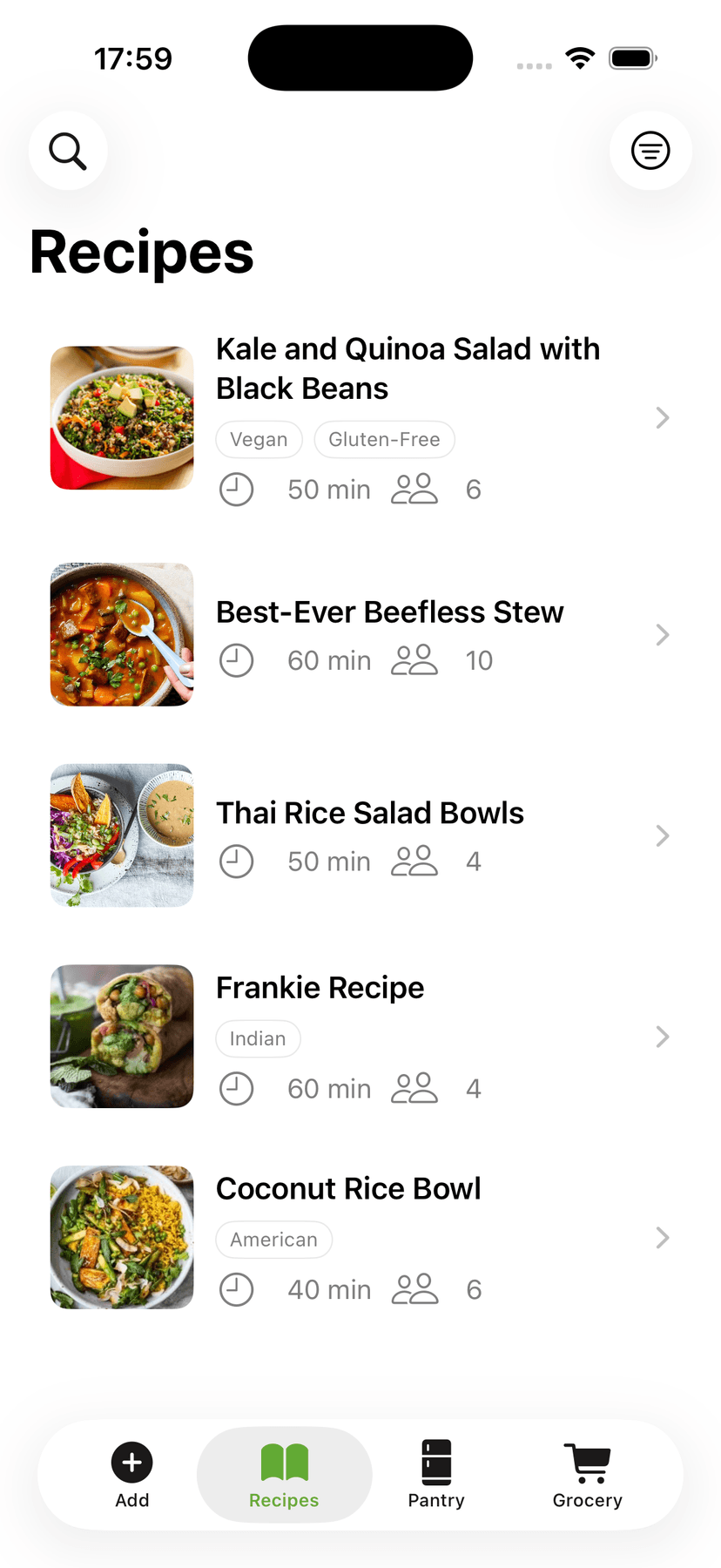
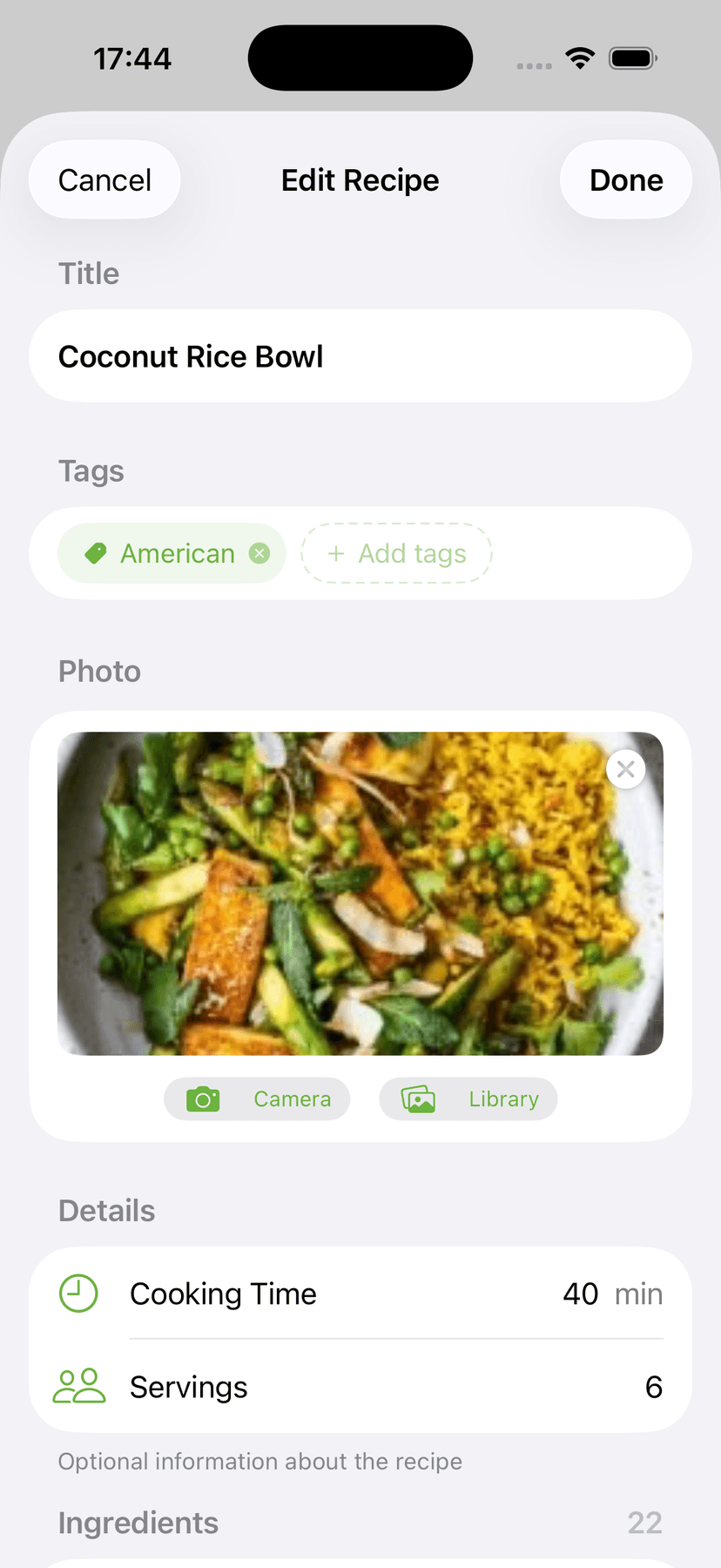
Once your recipes are in CookFlic, you have a library that works the way you cook. Group recipes into cookbooks, star your favorites, and filter by tag, cook time, or ingredient. Every recipe shows its photo, time, servings, and tags at a glance. Edit with full control — rewrite steps, fix amounts, adjust servings — and quantities scale automatically. Switch metric ↔ imperial with one tap. Best of all, it's the same library everywhere: start a recipe on your phone at the store and finish it on your Mac at the stove.
- ✓Organize into cookbooks; filter by tag, time, or ingredient
- ✓Edit any recipe and scale servings — quantities convert automatically
- ✓The same library on iPhone, iPad, Mac & Android
Cook with what you have
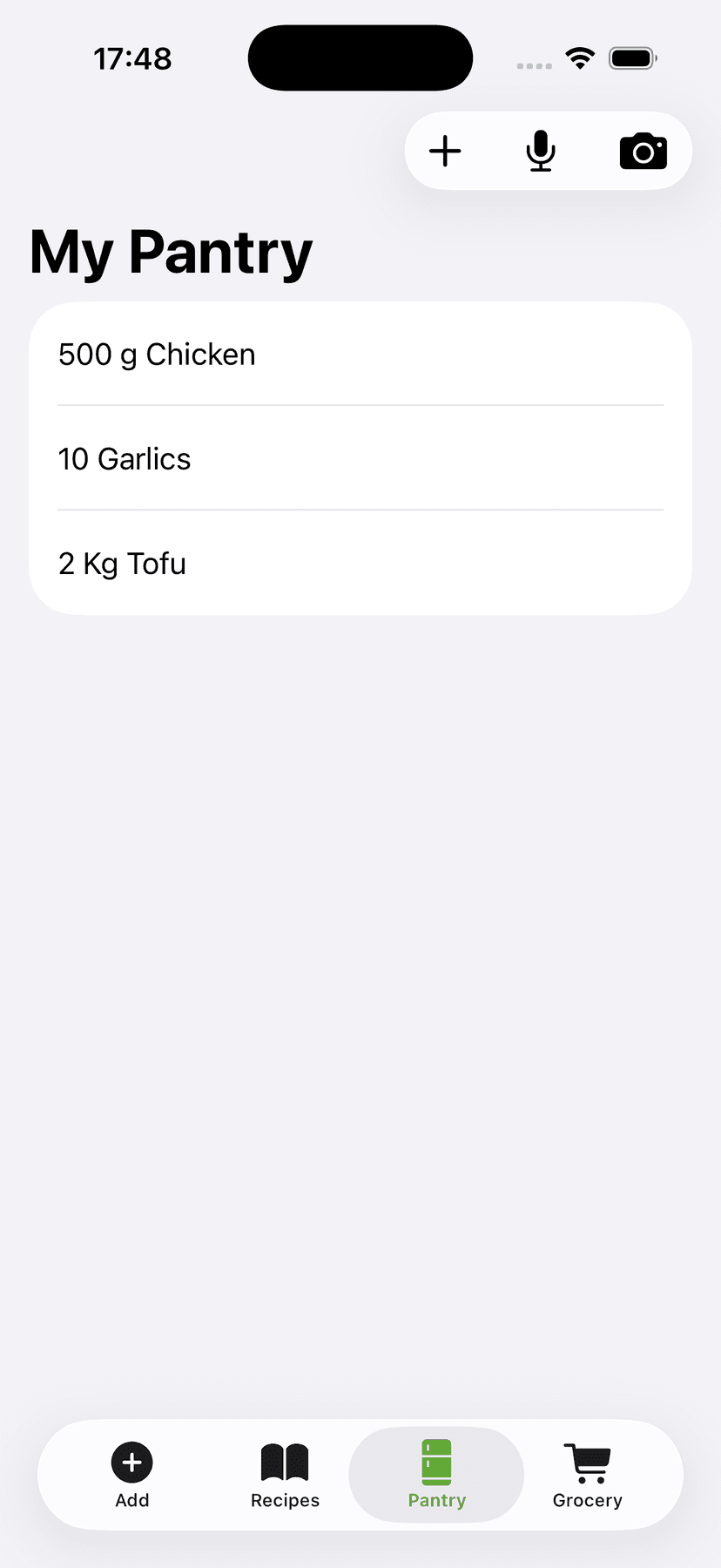
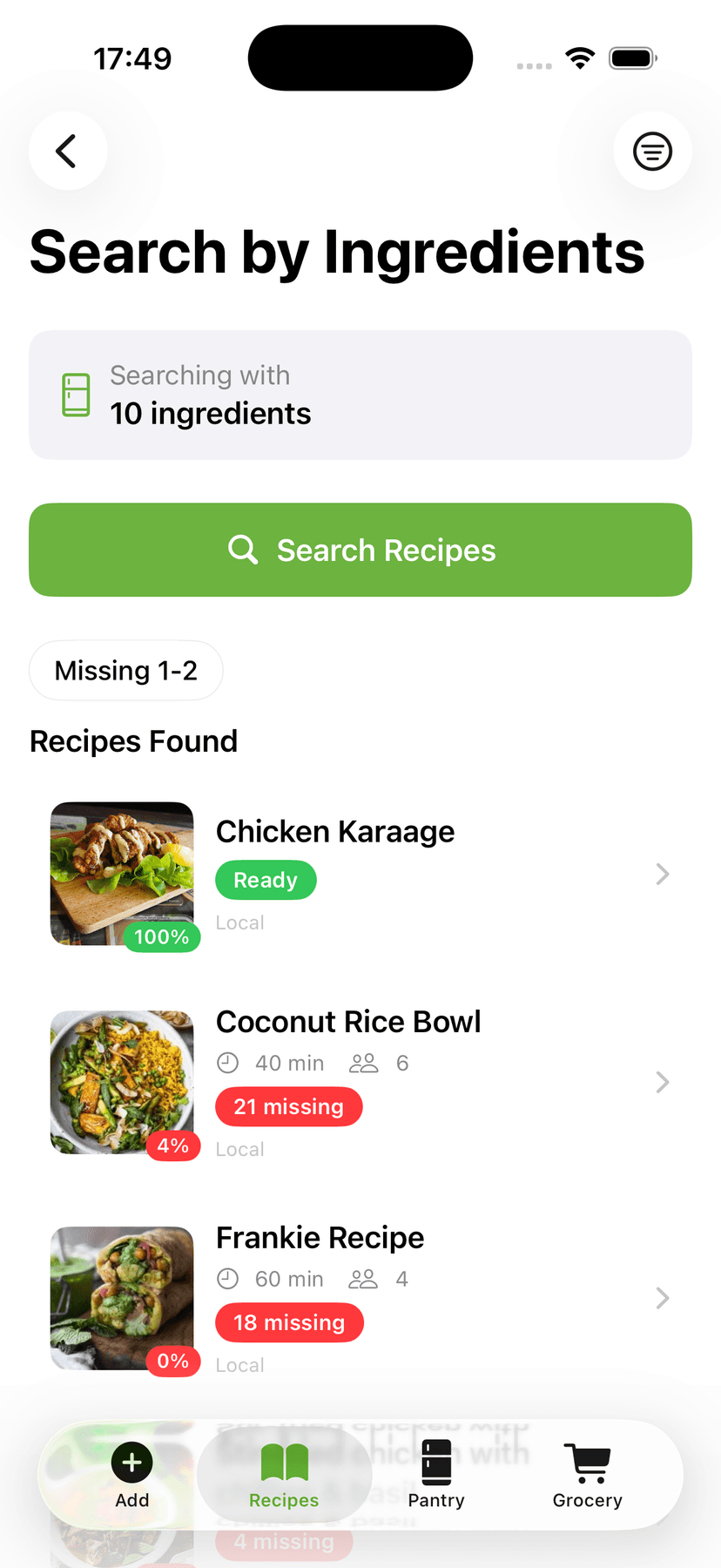
This is what turns CookFlic from a recipe book into a real cooking tool. Add what you have to your Kitchen — proteins, vegetables, spices, condiments — and CookFlic scores every recipe against what you already own. A recipe that uses 9 of its 10 ingredients from your kitchen scores 90%. Filter to what's cookable and the top results are meals you can make tonight with nothing extra. Missing two things? You'll know exactly what to grab — not a full week of groceries.
- ✓Recipes ranked by how much you already have, with a match score
- ✓See exactly which ingredients you're missing
- ✓Find what to cook tonight with zero extra shopping
Step-by-step with auto timers
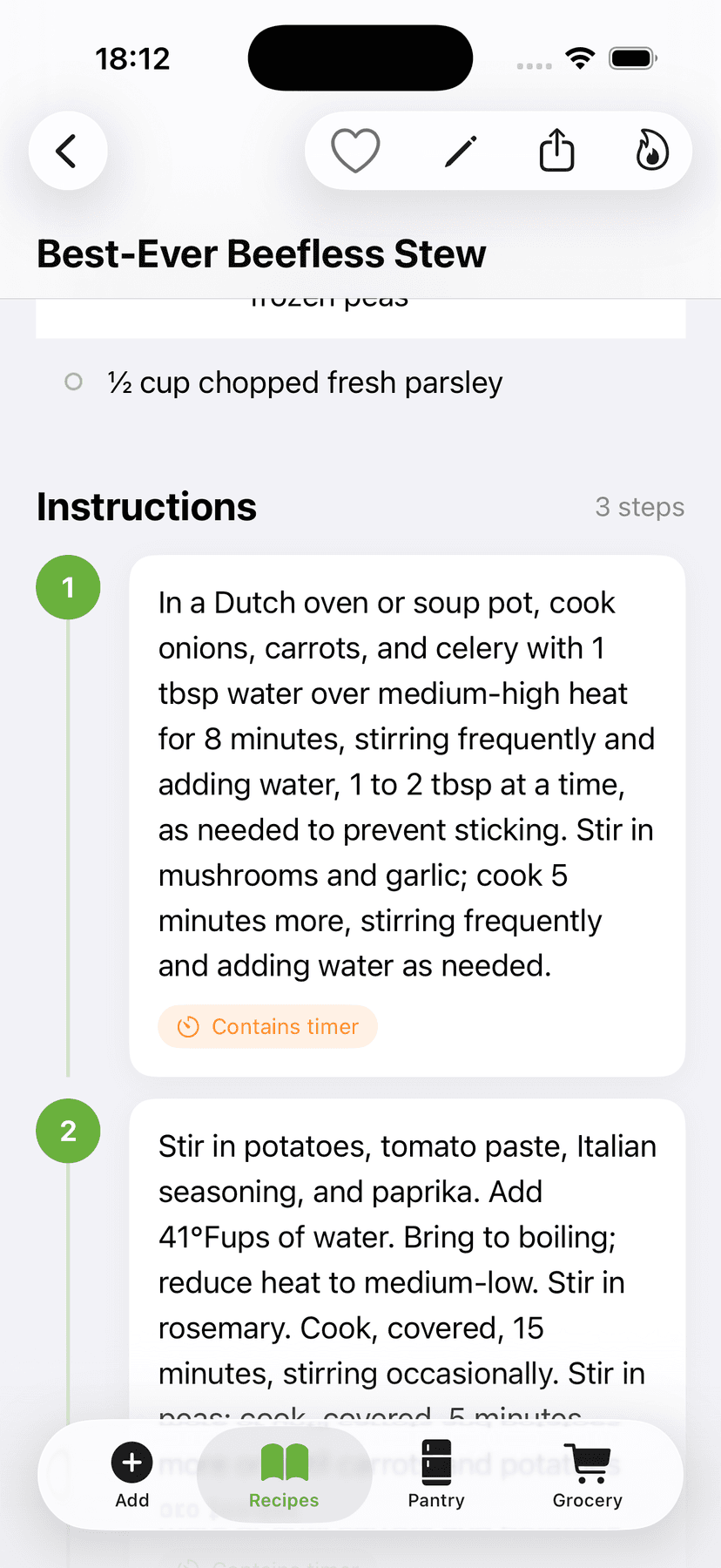
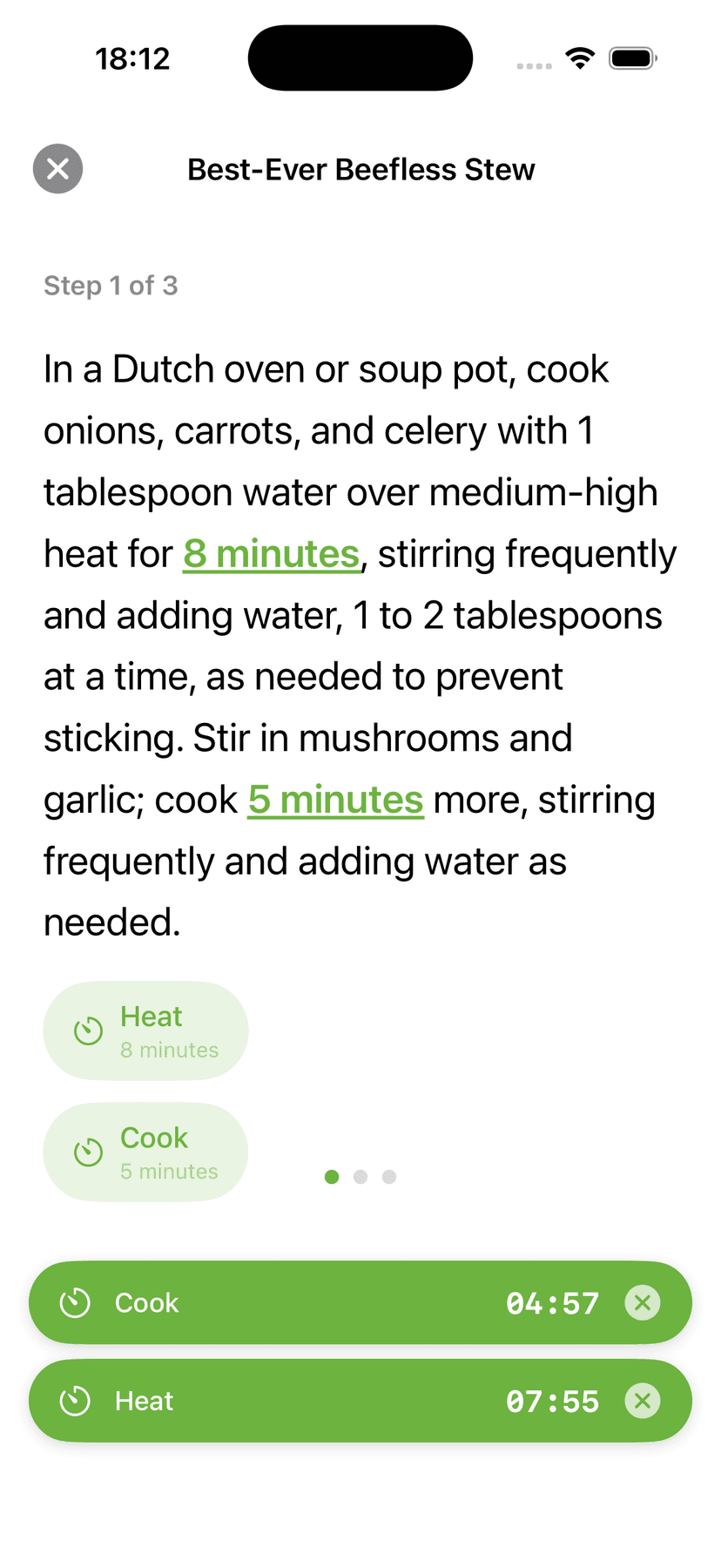
When you start cooking, CookFlic becomes a hands-free kitchen assistant. Cook Mode shows one step at a time in large text so you never lose your place, and the screen stays on so you can glance back without touching your phone with messy hands. CookFlic reads your steps and turns instructions like “simmer for 20 minutes” into one-tap timers that run in the background — and you can cook several recipes at once, with every timer tracked. Step away and come back: your session is right where you left it.
- ✓Hands-free steps with the screen always on
- ✓Auto-detected timers from your recipe's instructions
- ✓Cook multiple recipes at once — every timer runs in the background
Aisle-sorted lists, zero guesswork
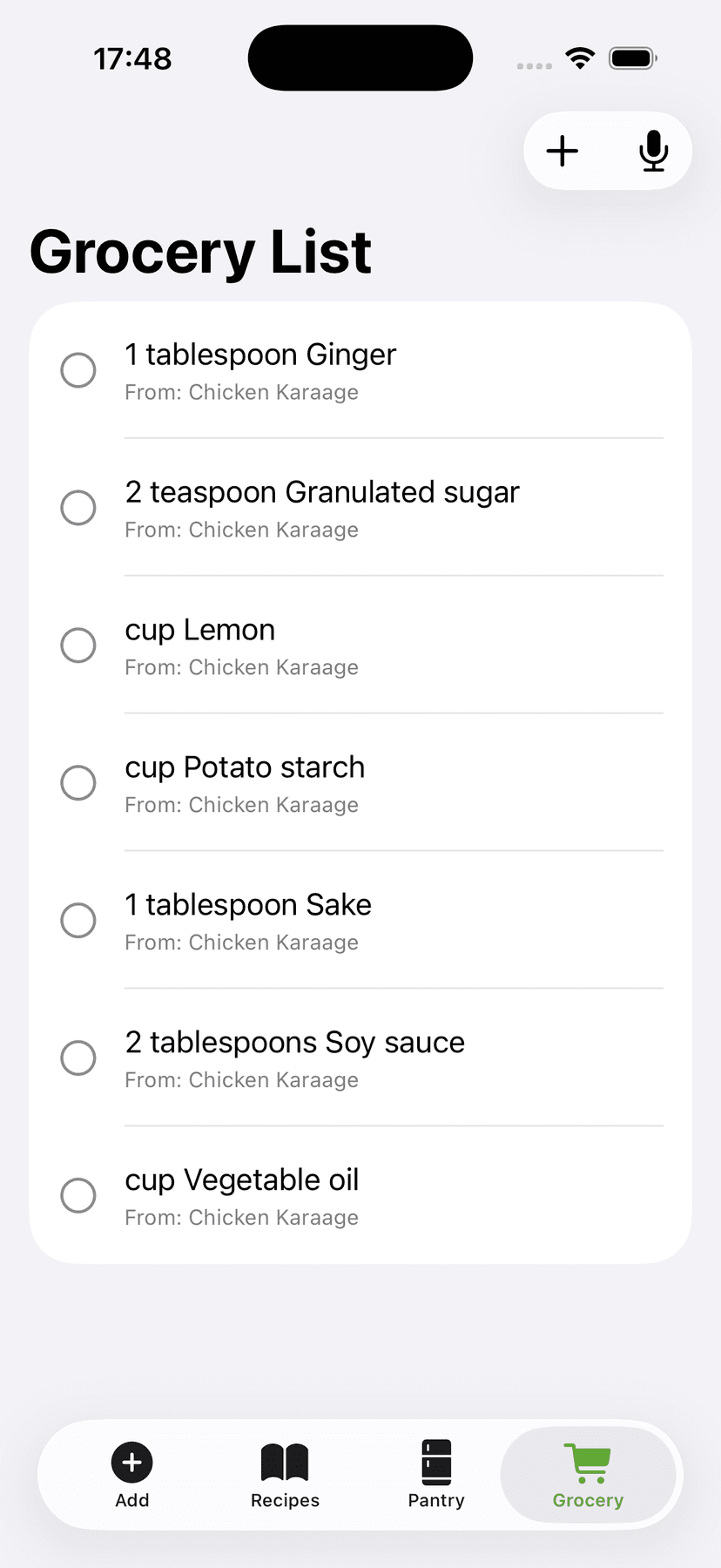
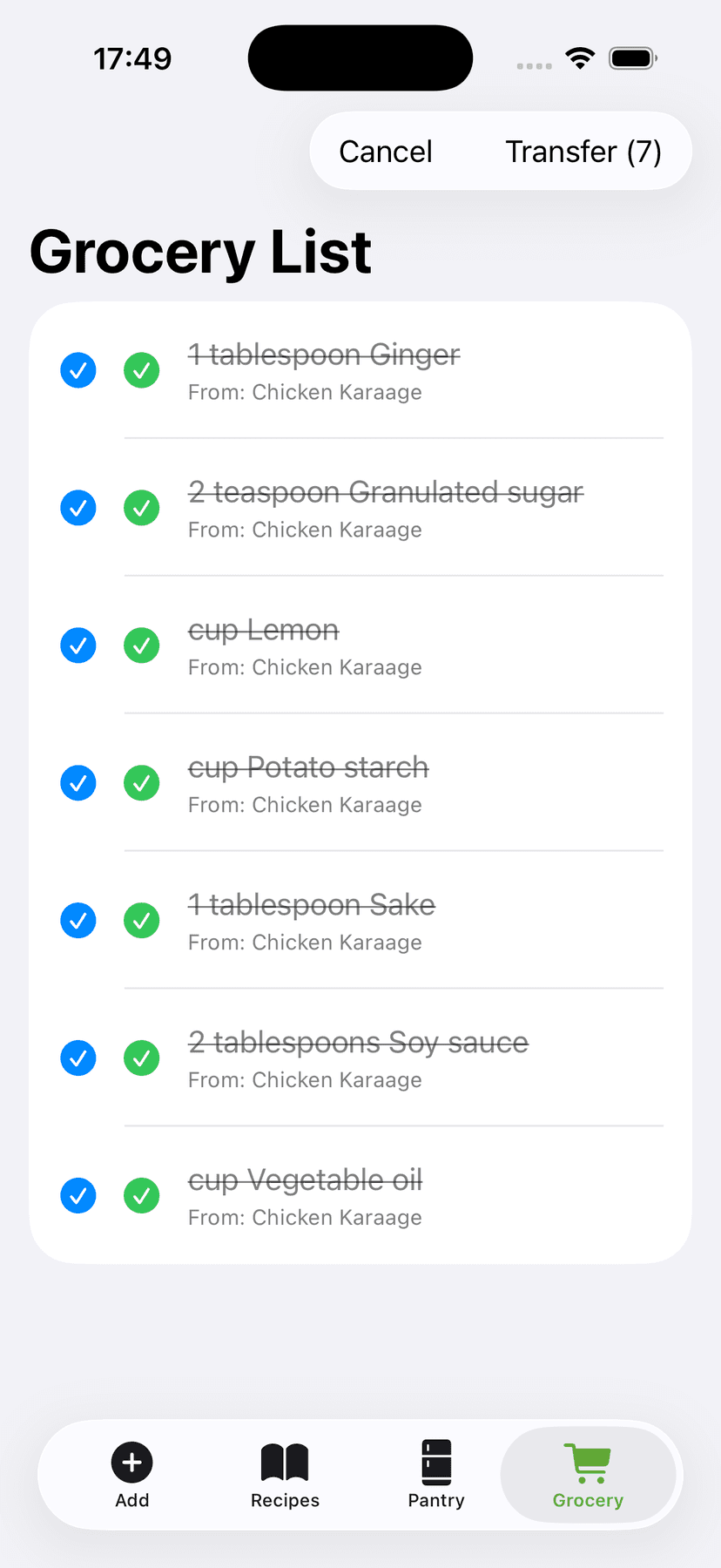
CookFlic's grocery list is built from your real recipes and your real kitchen. Pick what you're cooking and the app adds only the ingredients you're missing — no duplicates of what you already have. Then it groups the whole list by aisle, so produce is with produce and dairy is with dairy and you're not doubling back across the store. Check items off as you shop, and when you get home, send everything you bought straight to your Kitchen in one tap — no double entry.
- ✓Lists built from recipe needs minus what's in your kitchen
- ✓Automatically sorted by aisle so you shop in one pass
- ✓Send what you bought to your Kitchen in one tap
Plan the week. Shop once.
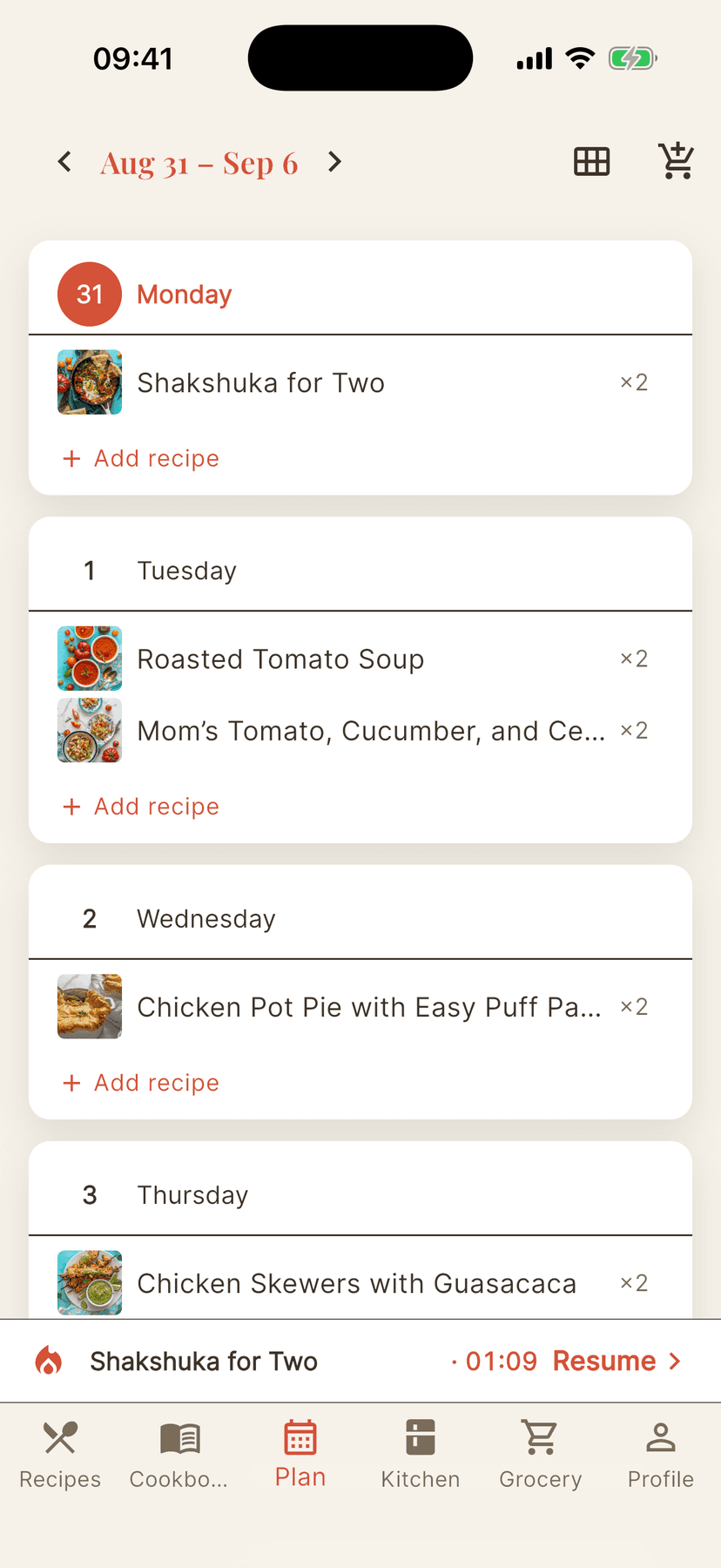
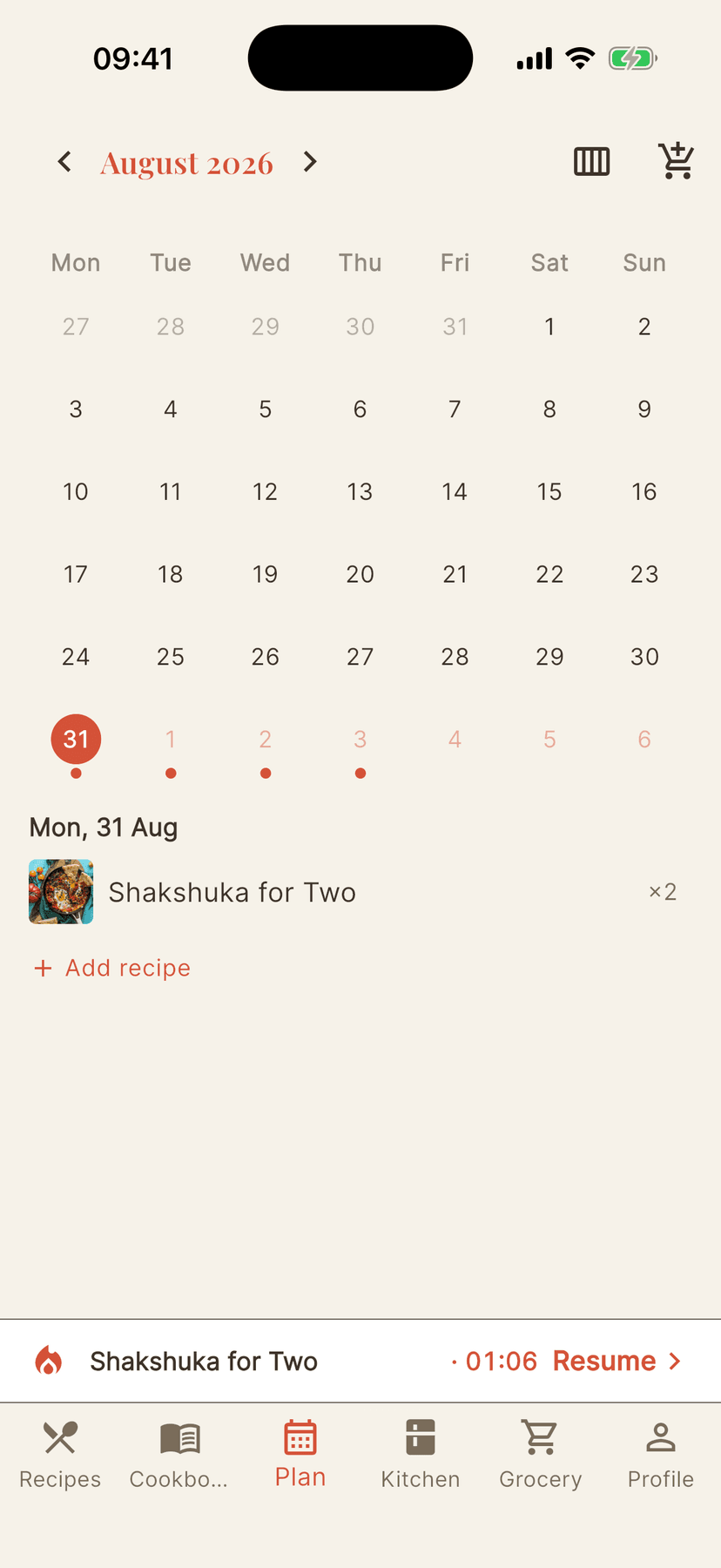
The meal planner closes the loop between saving recipes and actually cooking them. Lay out your week — or zoom out to a whole month — by adding recipes straight from their page or from the planner itself. Servings are set per meal, so date night and family dinner scale independently. When the plan is ready, one tap builds the shopping list for the days ahead: choose everything, or only the ingredients your kitchen is missing. Plans sync to every device, so the phone in the supermarket always knows what Thursday looks like.
- ✓Week and month views — plan from a recipe or from the planner
- ✓One tap turns the plan into an aisle-sorted grocery list
- ✓Add everything, or only what's missing from your kitchen
Synced everywhere. Owned by you.
Your recipe collection is something you build over years, so CookFlic treats it like it's yours — because it is. Sign in once and everything syncs across iPhone, iPad, Mac, and Android: add a recipe on your phone and it's on your Mac seconds later. One price unlocks every platform — no buying the same app again for each device. There are no ads, ever, on any plan. And we never delete your recipes — not even if you stay on the free plan forever. When a recipe is worth passing on, share it as a link: anyone can open it in a browser, and if they have CookFlic they save it in one tap. You can stop sharing whenever you like.
- ✓One account keeps every device in sync — one price unlocks them all
- ✓Your recipes are always yours — no lock-in, no ads, ever
- ✓We never delete your recipes, even on the free plan
- ✓Share any recipe as a link — friends read it on the web and save it in one tap
More things you'll love
- ✓Delete a recipe by mistake? It waits 30 days in Trash, synced across your devices, until you restore or purge it.
- ✓Switch between metric and imperial with one tap — your preferred units follow you to every device.
- ✓Dark mode support built in — switch per device or let your system setting decide.
- ✓Manage your subscription in the app: upgrade, cancel, or view your plan any time — no dark patterns, no lock-in.
- ✓Works offline: browse your library, organize, and cook without a connection — only AI capture needs the internet.
Capture & import
Any recipe link
Free structured extraction, AI fallback for the rest.
TikTok & YouTube
Pulls the recipe from the video — captions, or the video itself when needed.
Photos & cookbook pages
Snap or pick an image and the AI reads the recipe.
PDF cookbooks
Import a whole PDF, choose which recipes, images attached.
Paste or share
Share from any app, or paste text and clipboard in one tap.
Free Paprika import
Bring your Paprika recipes — no AI cost.
Auto-translation
Foreign-language recipes arrive in your language, with view-original.
Organize
Cookbooks
Group, rename, and browse; add or move in bulk.
Search
Across your whole library and inside any cookbook.
Tags
AI-assigned at capture — filter your library by them.
Favorites
One tap, synced across every device.
Bulk actions
Long-press to multi-select, then move or trash at once.
Share a recipe
Send a link anyone can open; CookFlic users save it in one tap. Stop sharing any time.
Synced everywhere
Recipes, cookbooks, plans, and lists on every device — with a layout made for iPad and desktop.
In your language
The app speaks English, Português, and Español.
Cook
Cook Mode
Full-screen steps and the screen stays awake.
Auto timers
Detected from each step — they fire even in the background.
Several at once
Cook multiple recipes with independent timers and a live view.
Servings scaling
Set your household size once and every recipe scales to it — or adjust per recipe.
Metric or imperial
Pick your units and they follow you everywhere.
Cook what you have
See what a recipe needs vs. your kitchen at a glance.
Adapt a recipe
Make it vegan, spicier or quicker. See what changed; the original stays.
Dark mode
Per device, or follow your system.
Plan & shop
Meal planner
Week and month views — plan straight from a recipe.
Grocery from your plan
Auto-build the list — everything, or only what’s missing.
Free aisle-sorted lists
Crowd-learned AI groups items by aisle — no AI cost.
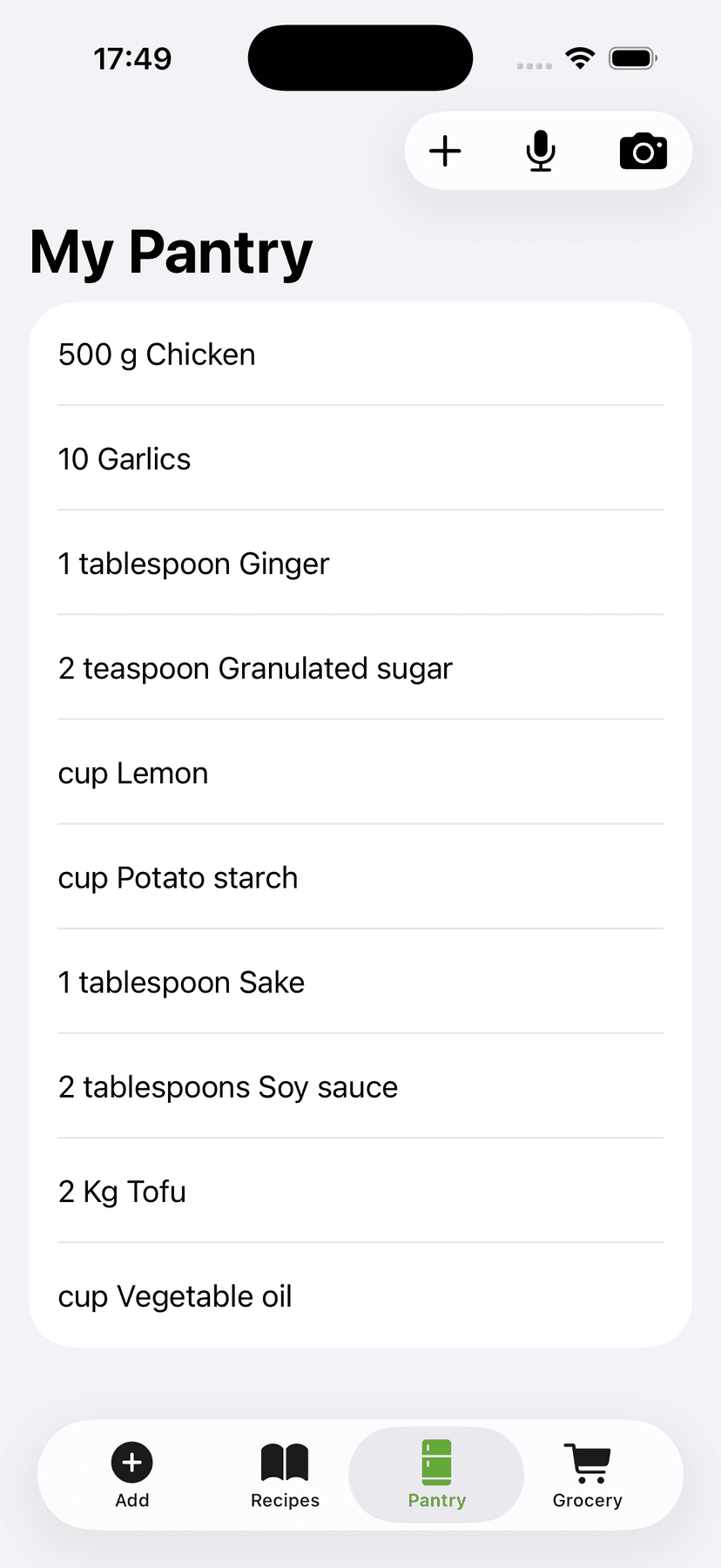
Kitchen inventory
Track what’s already in your pantry.
Kitchen ↔ grocery
Add-missing skips what you own; move bought items to the kitchen.
Own & trust
No lock-in
Free plan plus a pay-once Lifetime — never trapped.
Never held hostage
Your recipes are never deleted, even on the free plan.
30-day Trash
Restore deletions across devices within the grace period.
No ads, ever
No trackers, never sold — your data isn’t the product.
Cancel anytime
One tap to the billing portal — no dark patterns.
Google & Apple sign-in
Sign in securely with the account you already have.
Works offline
Browse, organize, and cook without a connection — only AI capture needs the internet.
Frequently Asked Questions
Is CookFlic free to download?
CookFlic is free to download on the App Store for iPhone, iPad and Mac, and on Google Play for Android. There's a free plan, plus a pay-once Lifetime option and a subscription — no ads on any of them.
Which devices does CookFlic run on?
CookFlic is a true cross-platform app: iPhone, iPad, Mac, and Android, with your library synced across all of them. One purchase unlocks every device — you never buy the same app again for each platform.
Can CookFlic import recipes from any website?
Yes. Paste any recipe link and CookFlic extracts the ingredients and steps automatically. Pages with structured recipe data import for free; for anything else, AI does the extraction. You can also import from photos, PDFs, pasted text, TikTok and YouTube videos (plus many Instagram videos), and your existing Paprika library.
Does CookFlic cook with what's in my kitchen?
Yes — that's its core purpose. Add what you have to your Kitchen and CookFlic scores every saved recipe against it, showing you exactly what you can cook right now. Filter to cookable recipes and your next meal practically selects itself.
Is there an Android version of CookFlic?
Yes. CookFlic is on Google Play, with the same features, the same synced library, and the same one price as on iPhone, iPad, and Mac.
Do I need an account, and does my library sync?
Yes. You sign in with an email address, and your recipes, cookbooks, kitchen, and lists sync securely across every device. Your library is yours — we never delete your recipes, even on the free plan.
What happens if I delete a recipe by accident?
Deleted recipes go to Trash, not straight to gone. They stay there for 30 days — synced across your devices — so you can restore them with a tap. After 30 days they're purged, or you can empty Trash manually if you want to clear them right away.
What languages does CookFlic support?
CookFlic is available in English, Portuguese (European), and Spanish. The app automatically uses your device language where available, and you can change it any time in Settings.
Can I switch between metric and imperial?
Yes. Go to your Profile and toggle your preferred units — metric or imperial — with one tap. The setting syncs across all your devices, so every recipe shows quantities in the system you prefer.
Is there a dark mode?
Yes. CookFlic supports light mode, dark mode, and a system-follows setting (which matches your device's appearance automatically). You can set it per device in Settings.
Can I share a recipe with someone who doesn't use CookFlic?
Yes. Open the recipe, tap Share, and send the link. It opens in any browser as a clean recipe page — no account needed. If they have CookFlic, one tap saves it to their library. Only recipes you choose to share are public, the link never exposes anything else in your account, and you can stop sharing at any time.
Can CookFlic change a recipe for me?
Yes. Open a saved recipe, tap Adapt, and pick vegetarian, vegan, dairy-free style, spicier, milder, quicker or one-pot, or describe your own change, like chicken instead of pork. CookFlic lists every change before you save, and saves the result as a new recipe, so your original stays exactly as it was. Treat dietary swaps as a suggestion and check them before you cook, especially for allergies. Each adaptation uses 1 flic, like an AI import, and one retry of a result is free.