
Save any recipe. Cook with what you have.
CookFlic turns links, TikToks and photos into clean recipe cards, then shows what you can cook with what's in your kitchen. Synced on iPhone, iPad, Mac and Android. No ads. No lock-in.
- ✓Import links, TikToks, photos, PDFs and Paprika
- ✓One price unlocks iPhone, iPad, Mac & Android
- ✓Aisle-sorted lists + cook what’s already in your kitchen


Free to start. 25 recipes, no card, no ads.
- No ads, ever
- Never lose a recipe
- Every device, one price
- Own your data
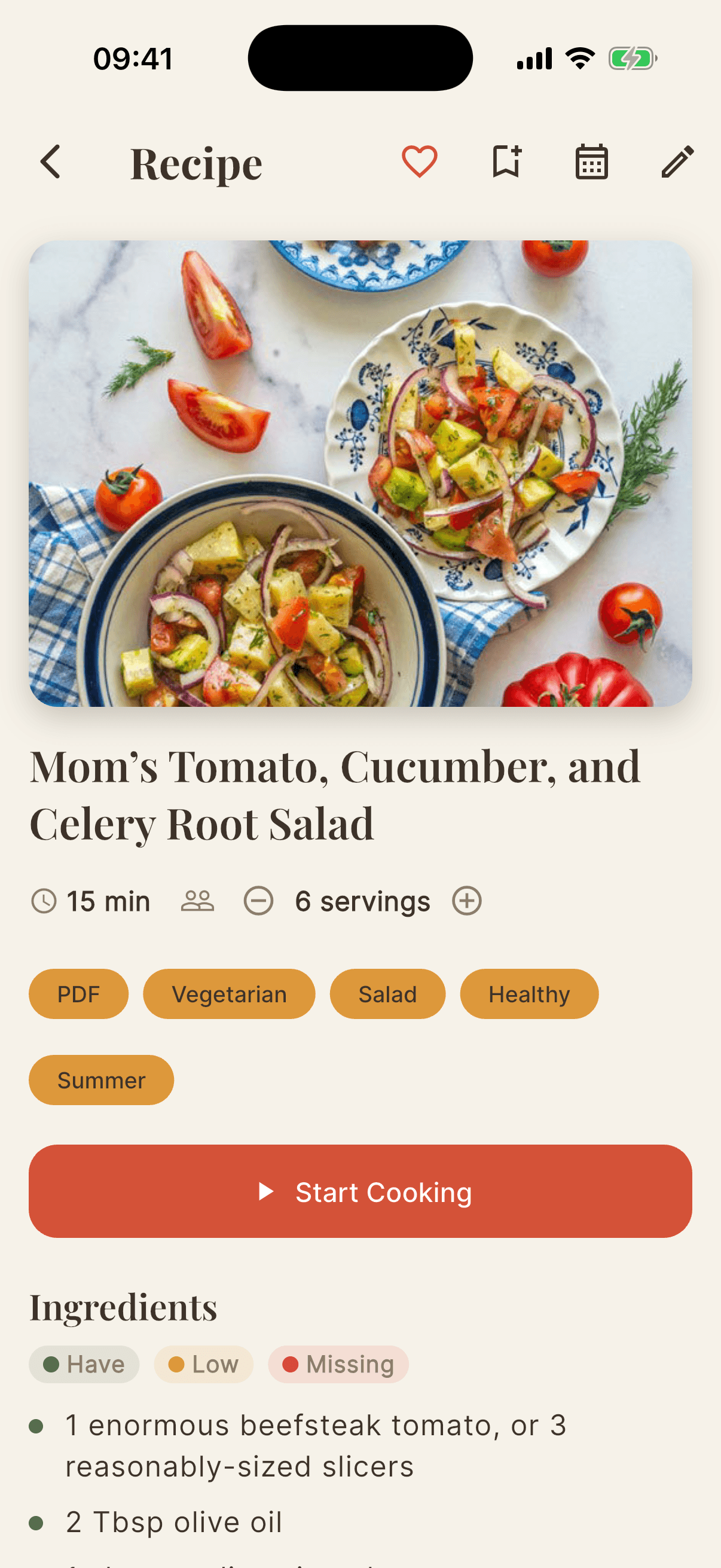
Your recipes are everywhere.
Screenshots you'll never find. Saved reels you never made. A library locked inside an app that charges again for every device.
Screenshots buried deep in your camera roll
TikToks and reels you saved but never cooked
A library trapped in one app, on one device
CookFlic brings them all together — on every device you own.
Why CookFlic is different
The recipe app that respects your recipes — and your wallet.
No subscription lock-in
A real free plan and a pay-once Lifetime with unlimited recipes, forever. A subscription’s there if you prefer it — never forced on you.
Your library, never held hostage
We never delete your recipes — not on the free plan, not if you downgrade. A 30-day Trash catches mistakes, and everything’s synced to your account.
One price, every device
iPhone, iPad, Mac, and Android. Buy once and it’s unlocked everywhere — you never re-buy the same app per platform.
Import everything (incl. Paprika)
Links, TikTok and YouTube videos, photos, PDFs, pasted text — and your Paprika recipes, free. Switching is painless.
Everything you need to cook smarter
From capture to kitchen — everything that turns recipe chaos into tonight’s dinner.
Capture recipes from anywhere
Paste any link, share a TikTok or YouTube video, snap a photo of a cookbook page, or import your Paprika recipes and PDF collection. Our AI reads the recipe and files it clean — ingredients, steps, and times.
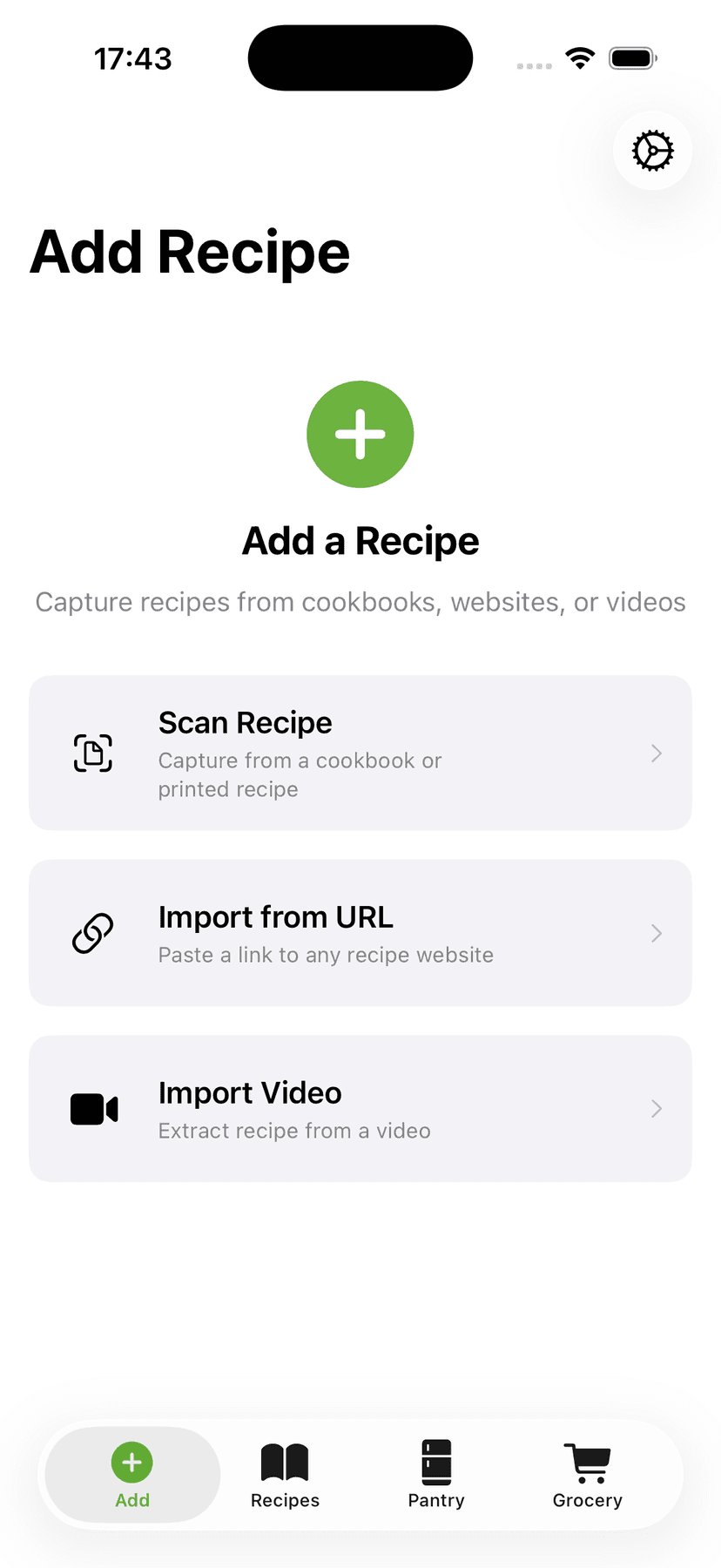
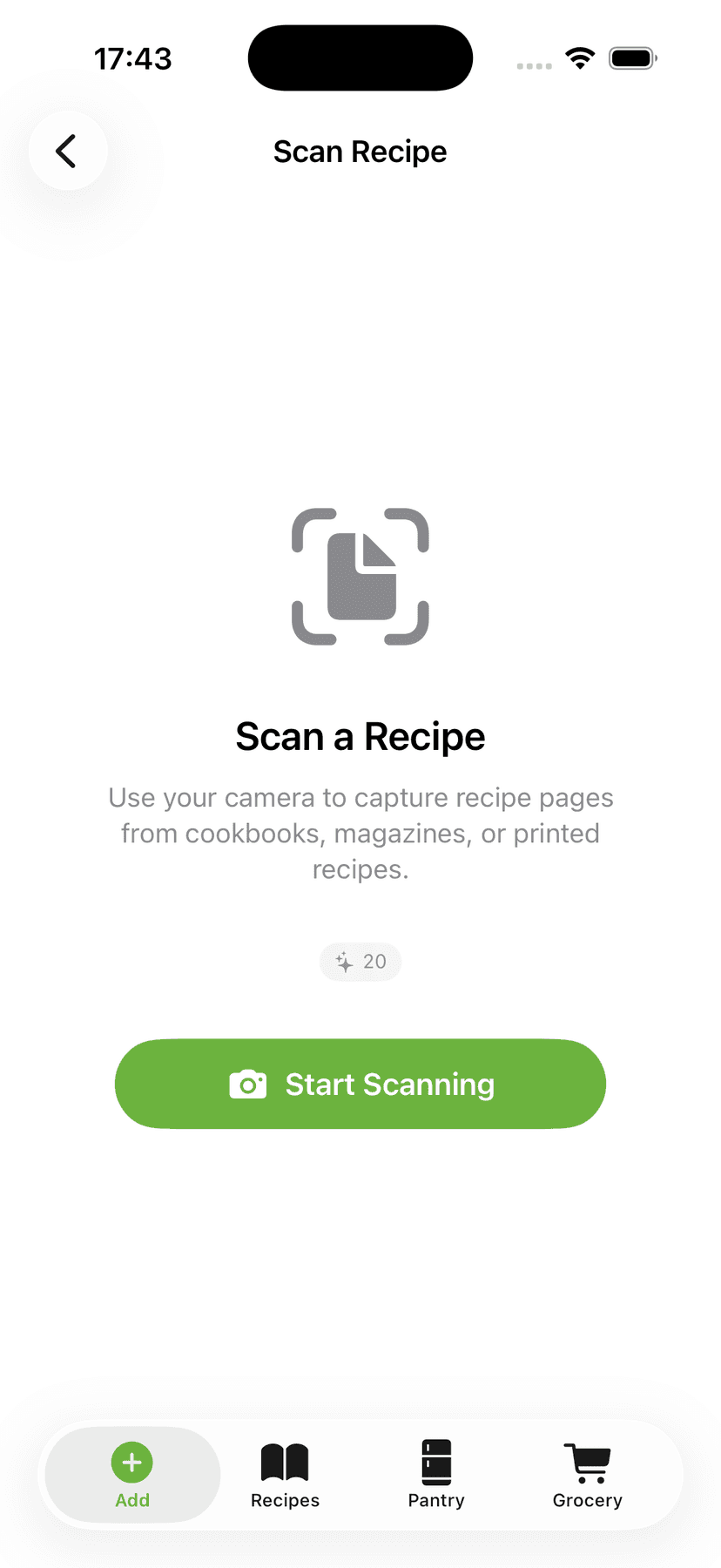
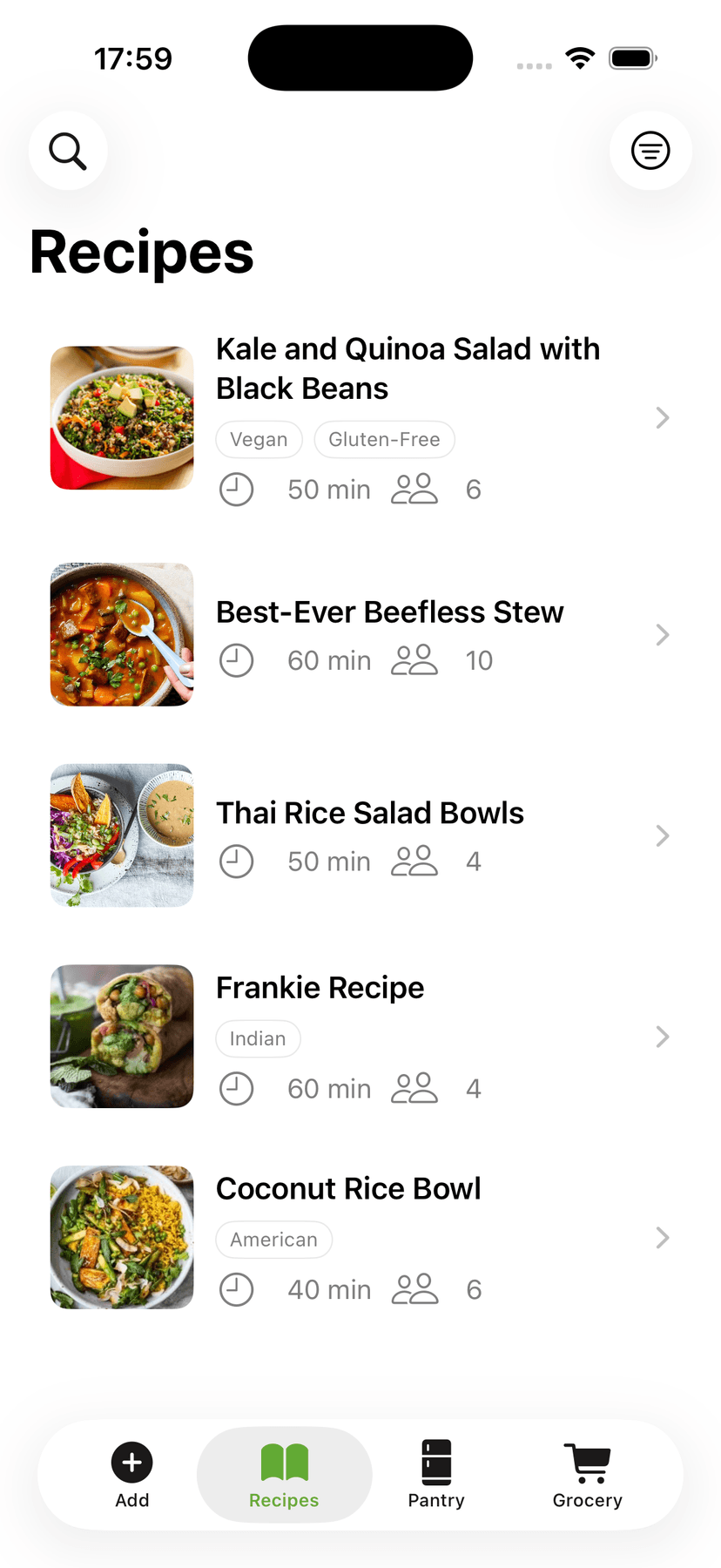
All your recipes, on every device
Organize into cookbooks, search by ingredient, edit anything, scale servings — and find it all on your iPhone, iPad, Mac, and Android.
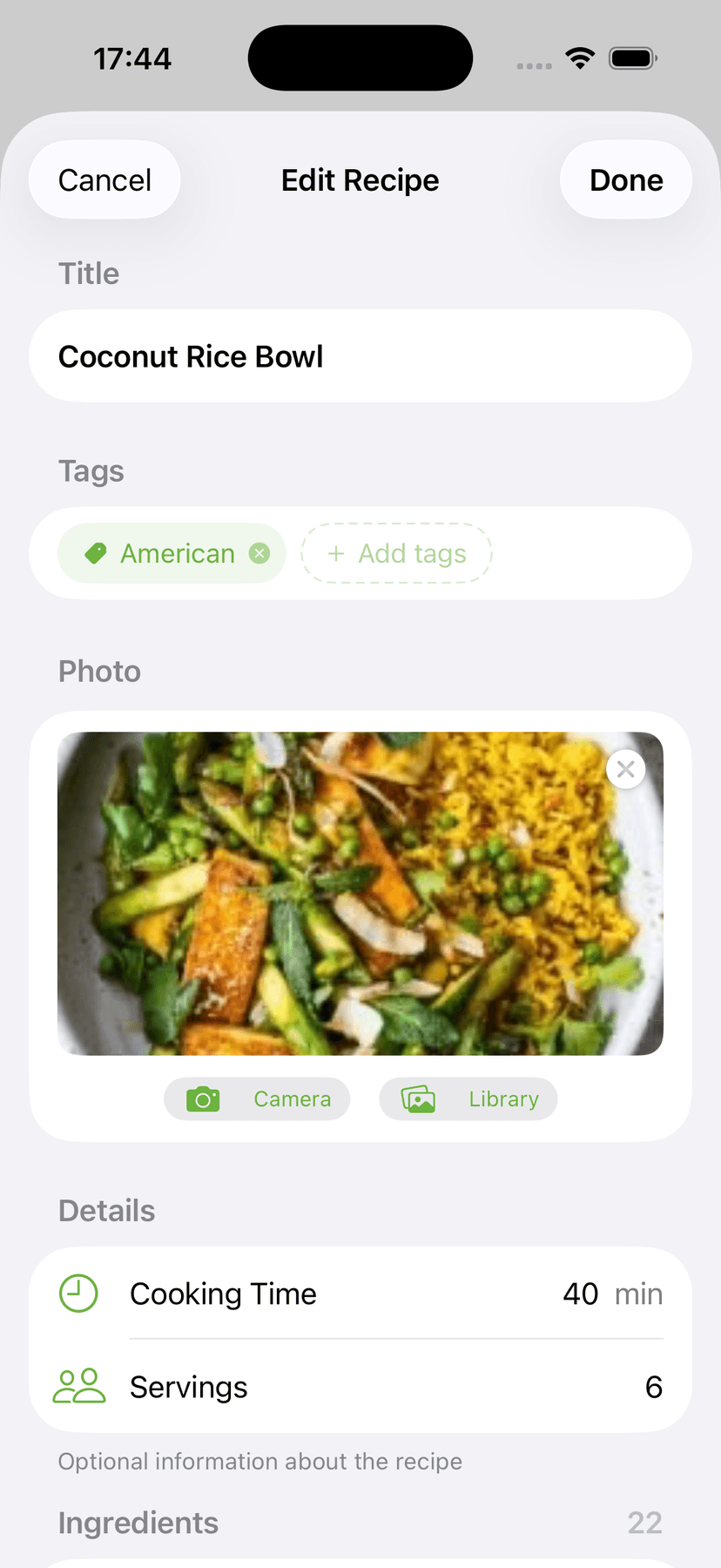
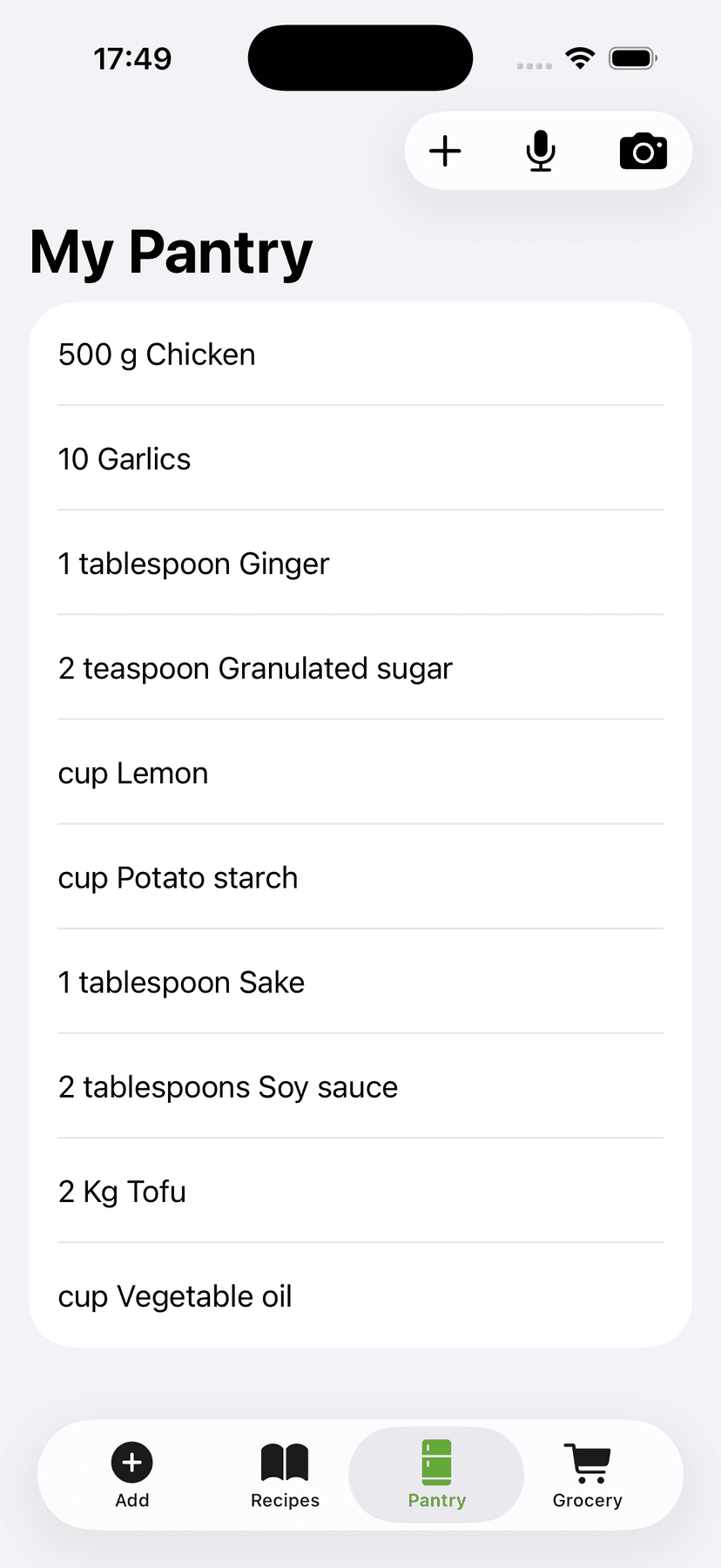
Cook with what you have
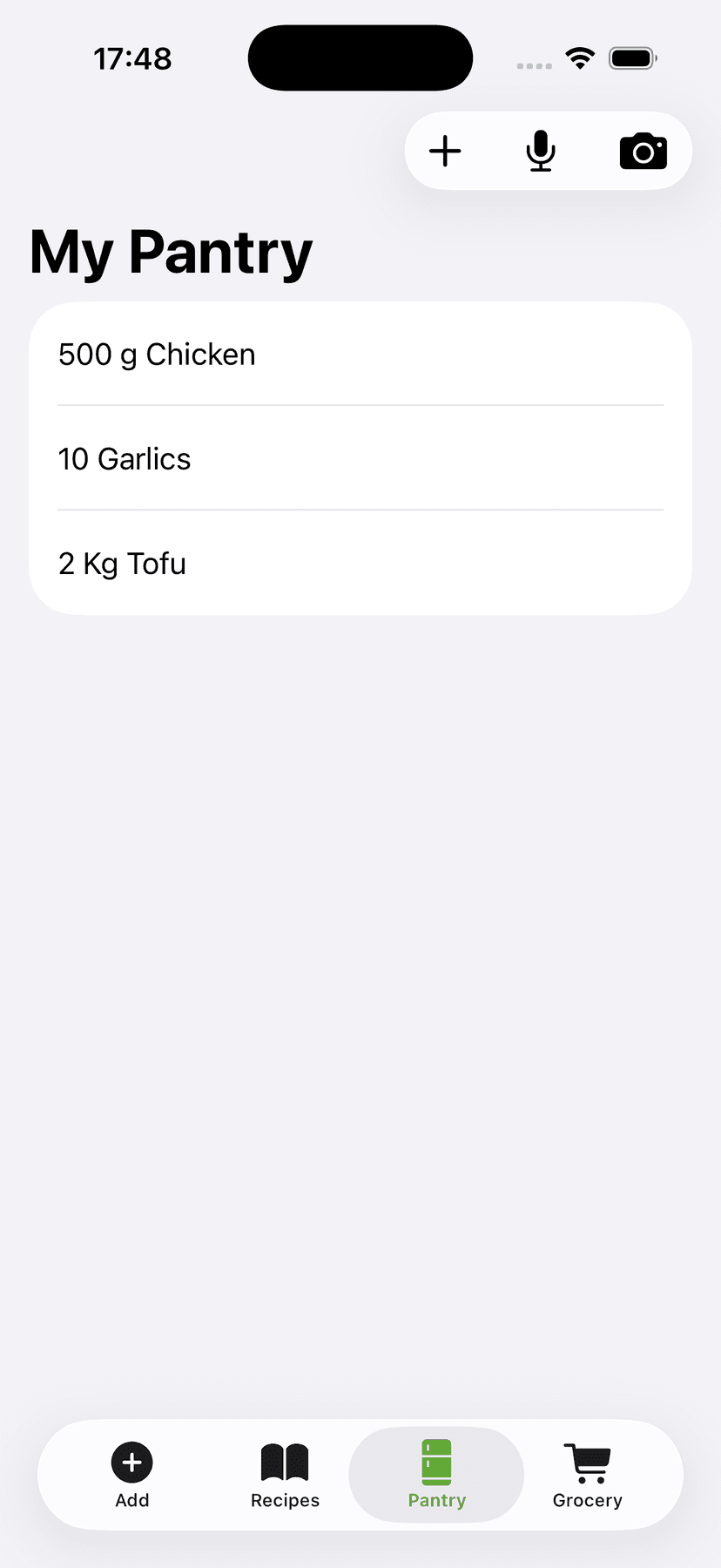
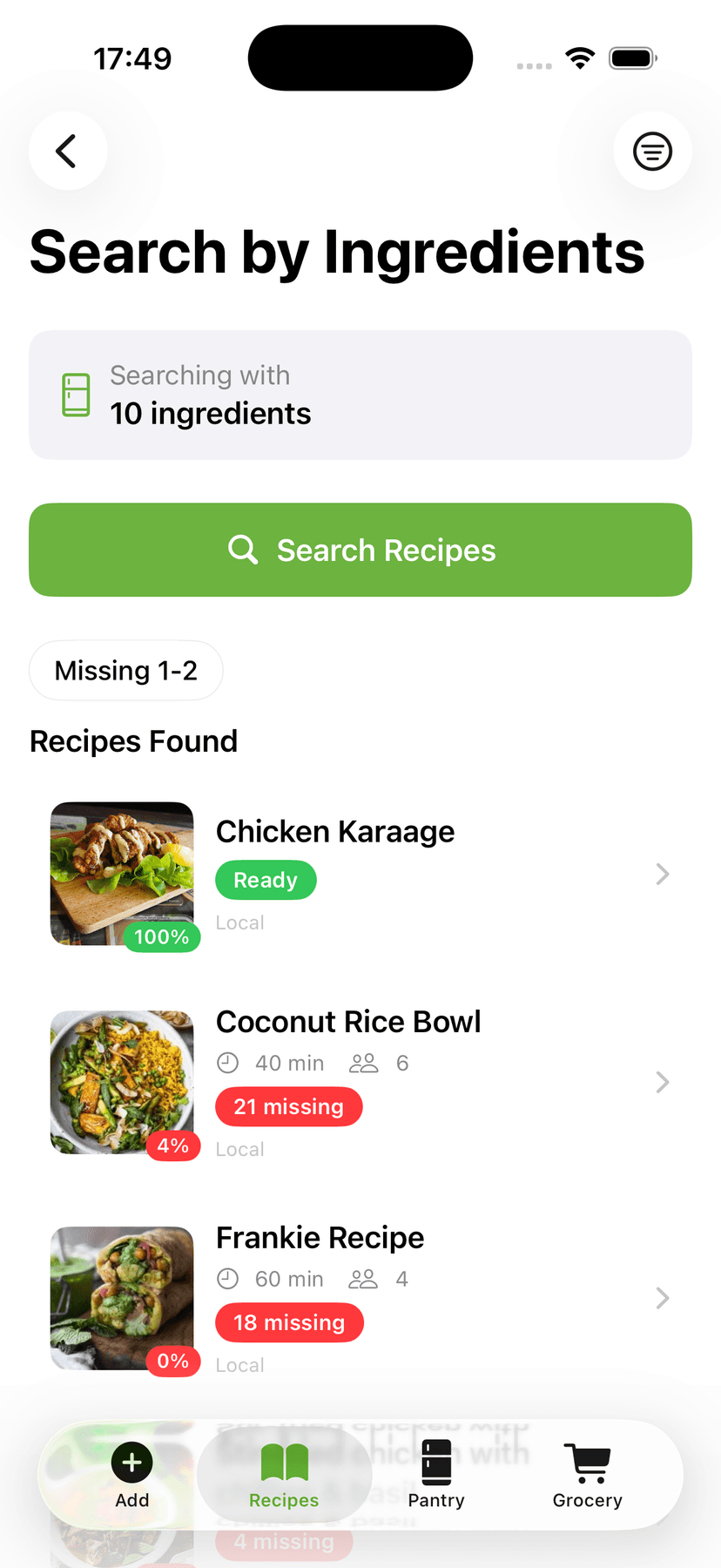
Tell CookFlic what's in your kitchen and it instantly finds the recipes you can make right now — ranked by match, so nothing goes to waste.
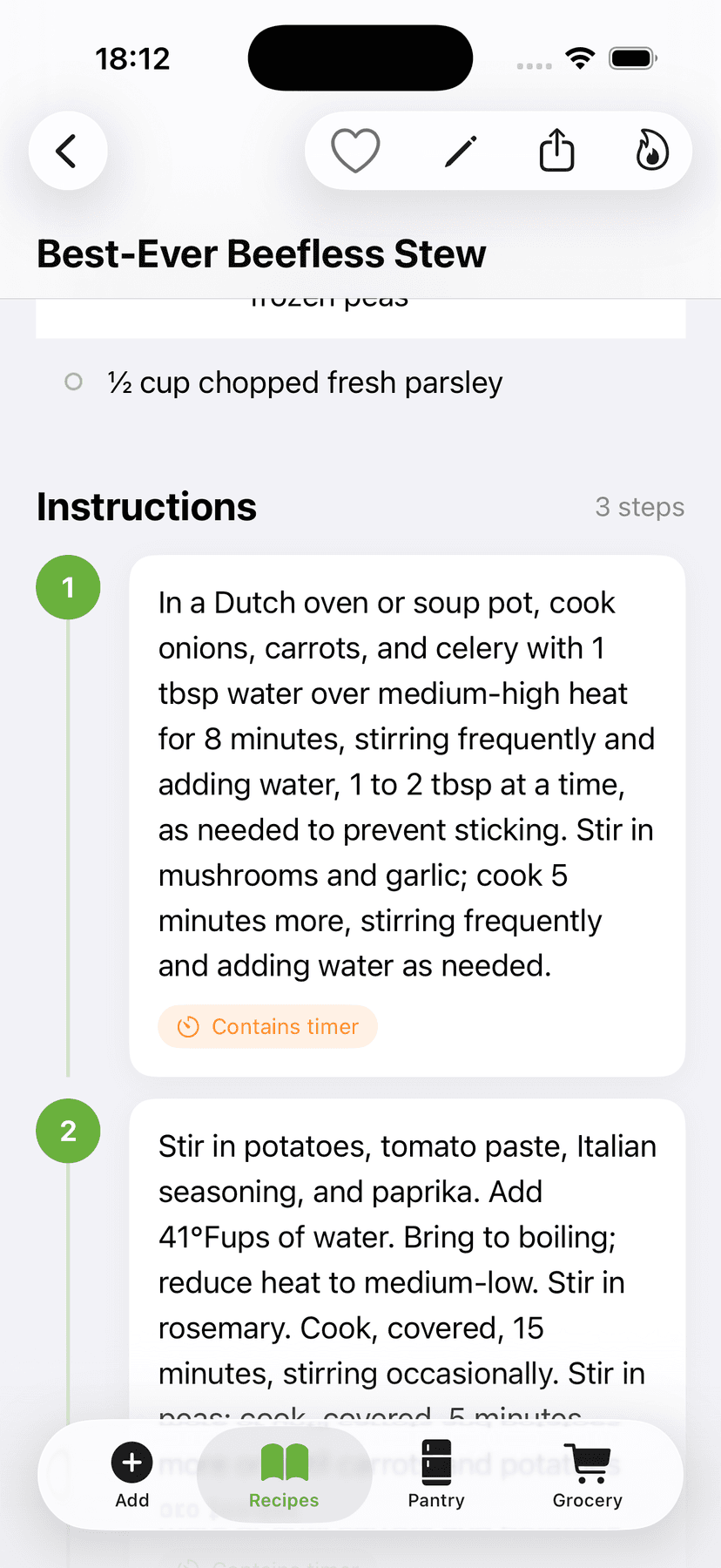
Step-by-step with auto timers
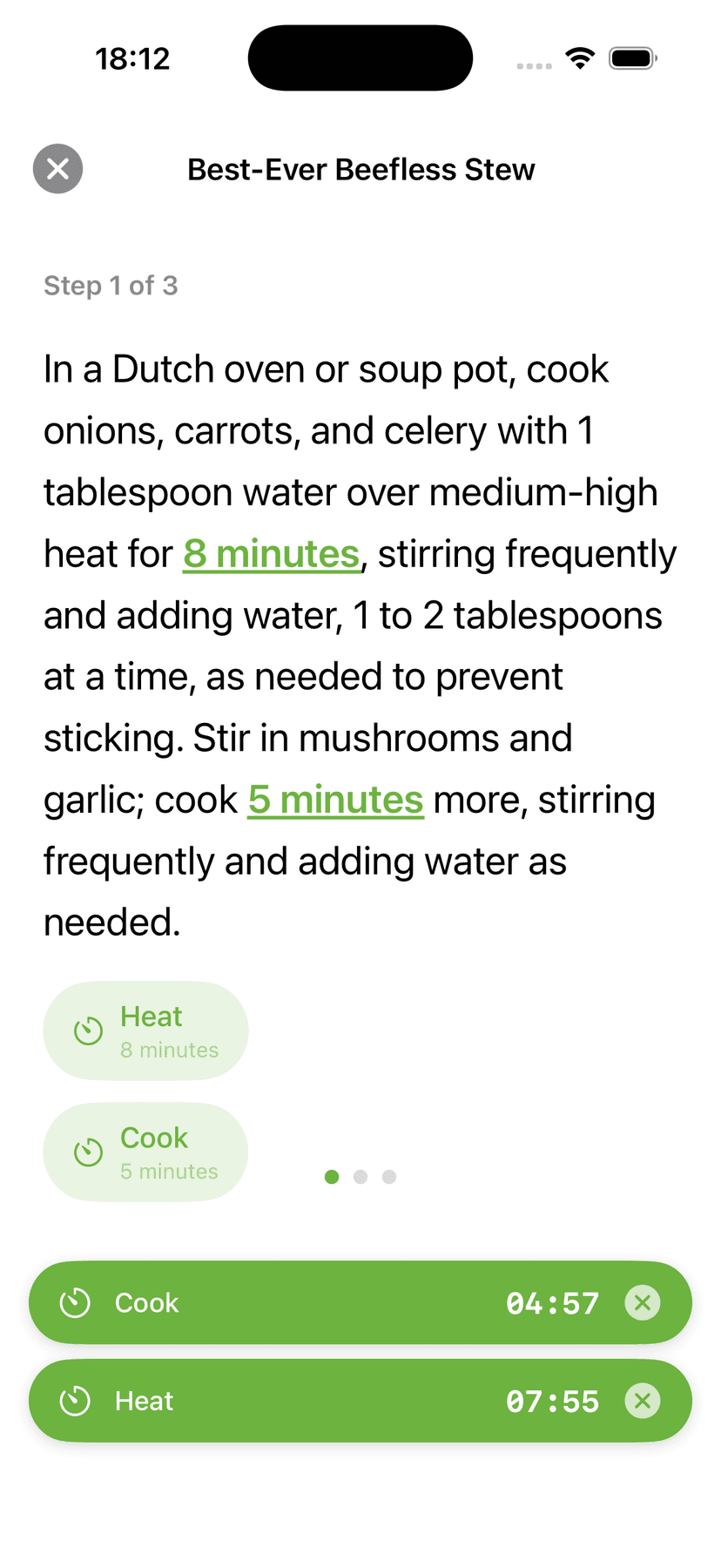
Cook Mode keeps your screen awake, steps large, and timers ready — start a timer straight from any step, run several recipes at once, and keep every pot on track for the same serving time.
Aisle-sorted lists, zero guesswork
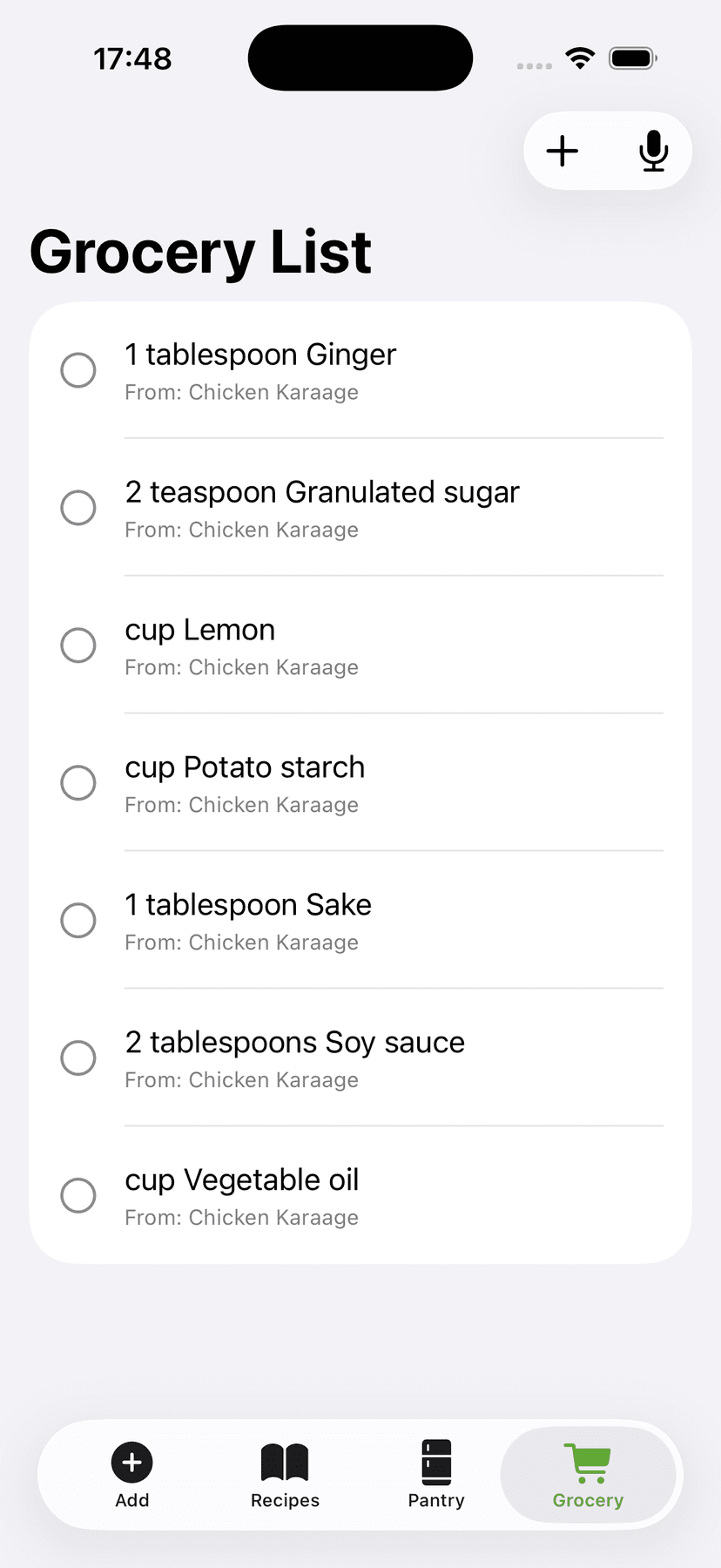
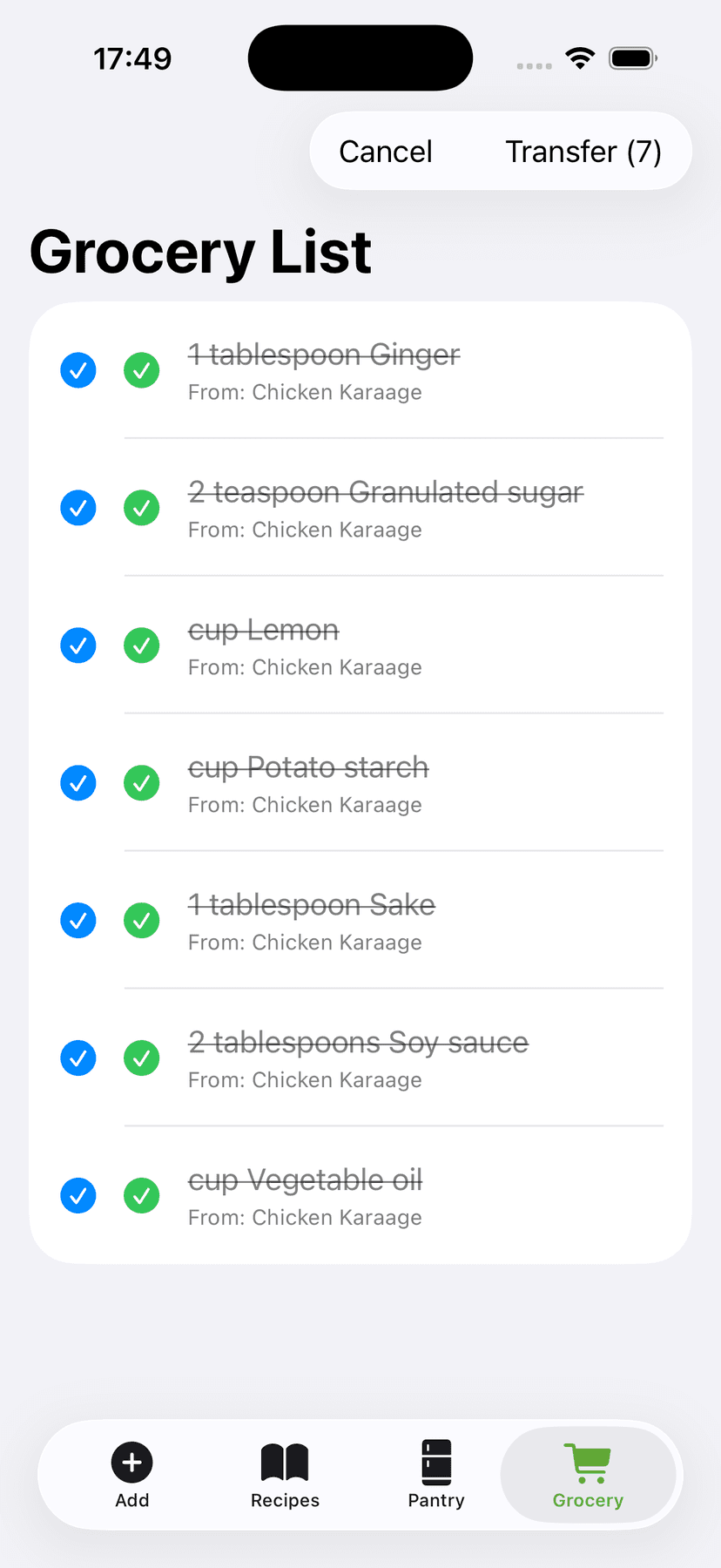
Every ingredient lands on your grocery list sorted by aisle — produce, dairy, pantry — so you shop in one pass. The aisle map learns from the whole community, so even unusual items land in the right section.
Plan the week. Shop once.
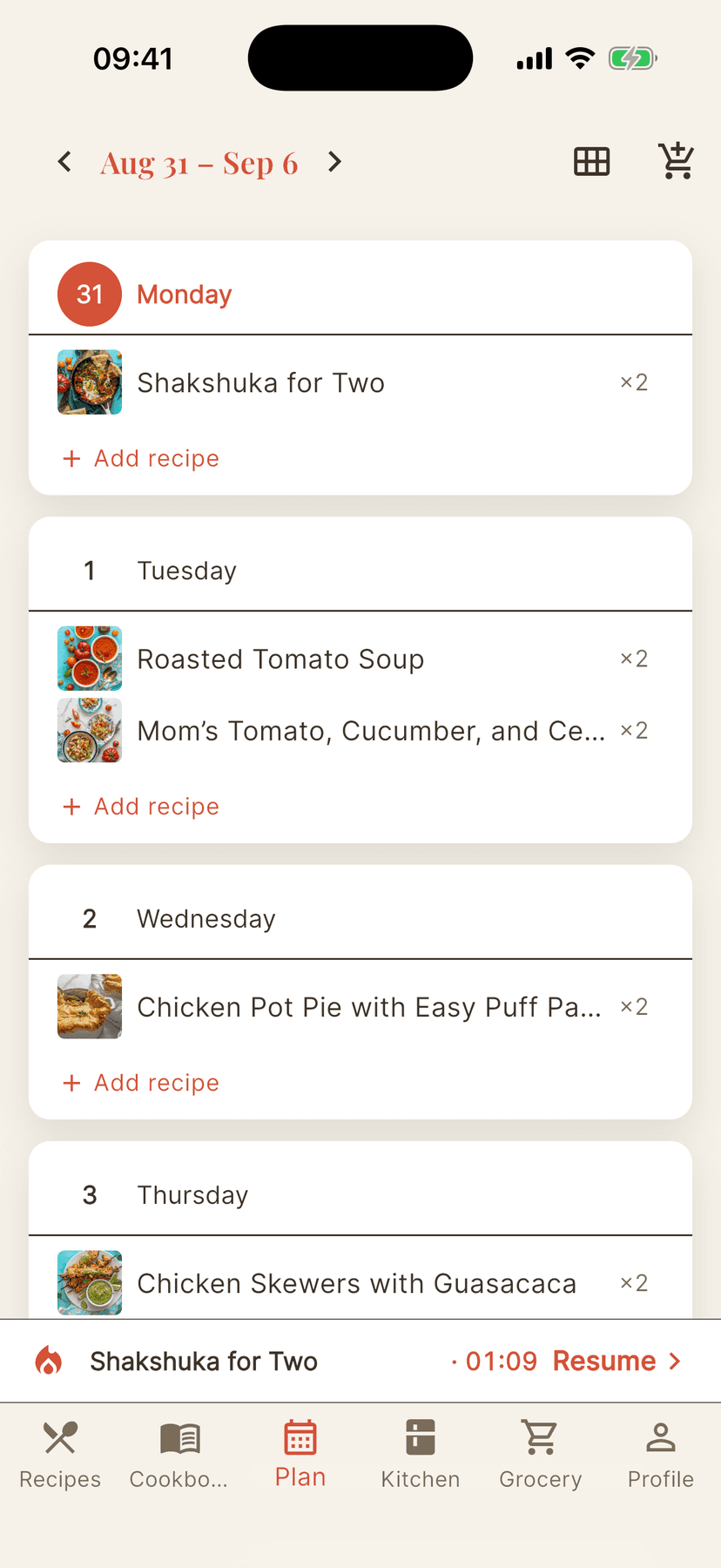
Drop recipes onto a week or month view, then turn the whole plan into an aisle-sorted grocery list — all of it, or only what's missing from your kitchen.
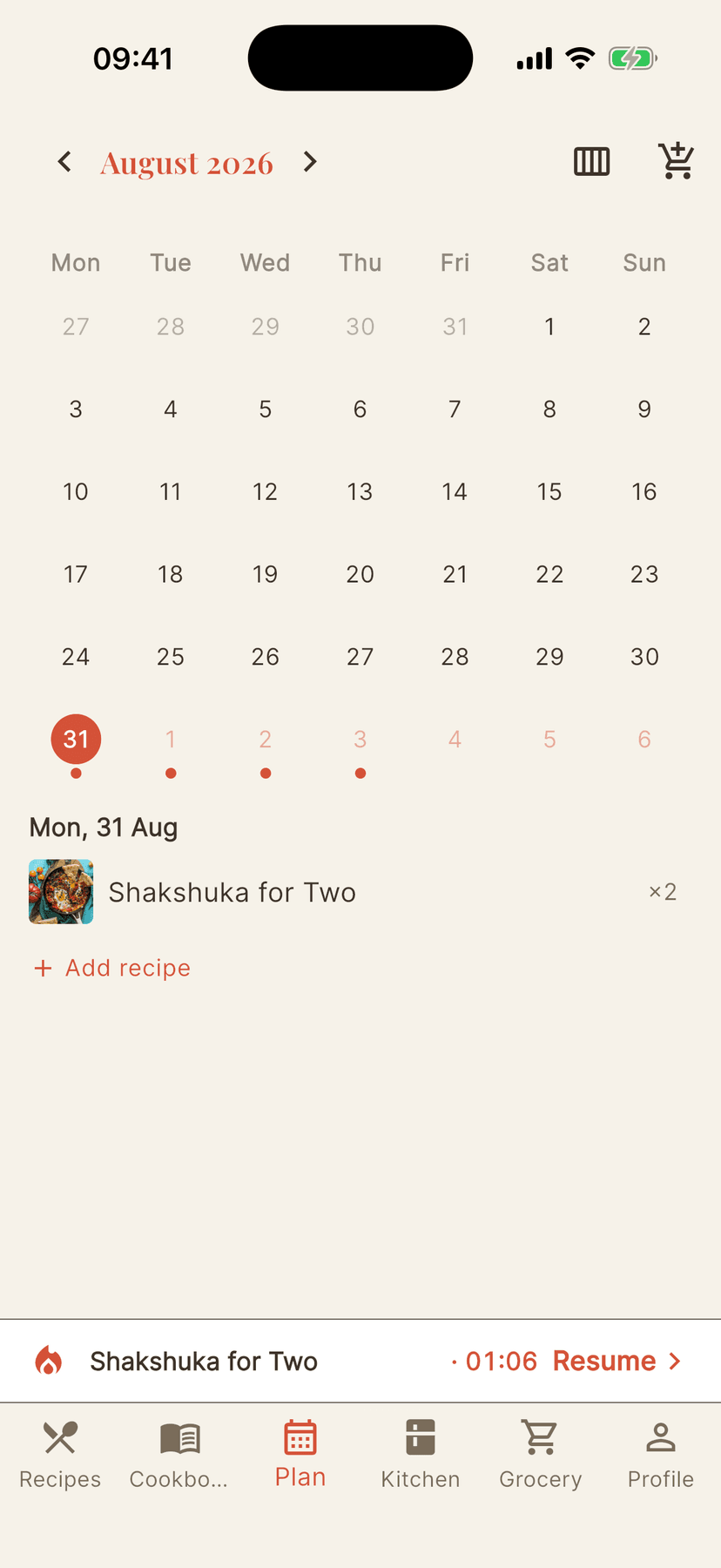
Synced everywhere. Owned by you.
Sign in once and your recipes, cookbooks, kitchen, and lists follow you to every device — and your recipes are always yours.
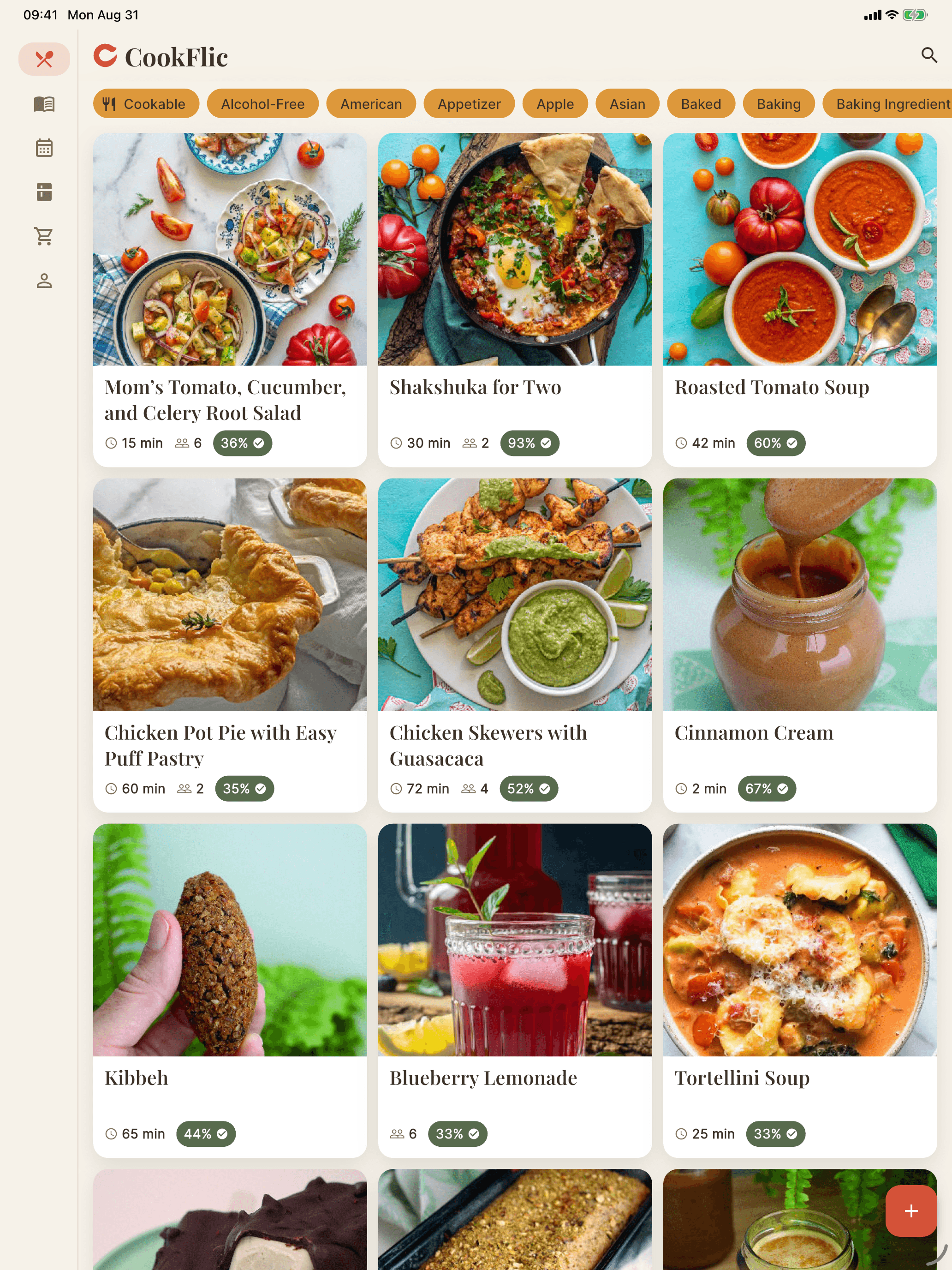
Bigger screens, same kitchen.
CookFlic isn't a stretched phone app. On iPad and desktop the library opens up with a sidebar layout made for cooking alongside — one account, one price, every device.
iPhone · iPad · Mac · Android
How CookFlic works
From scattered recipe to dinner on the table — in four simple steps.
Capture
Snap, paste, or share any recipe from anywhere.
Organize
AI extracts ingredients, steps, and details automatically.
Match
See which recipes you can make with what's in your kitchen.
Cook
Follow step-by-step instructions with hands-free mode.
Pay once. Cook forever.
No ad-funded feeds, no per-device repurchase, no subscription you'll resent. Buy it once, or subscribe monthly or yearly — either way, one price covers every device and we never delete your recipes.
Free
Start your library, no card required.
- ✓Up to 25 recipes
- ✓Free web & manual import, on every device
- ✓3 AI imports or adaptations every week
- ✓No ads — and we never delete your recipes
Lifetime
Pay once. Own it forever.
- ✓Unlimited recipes
- ✓Every device — iPhone, iPad, Mac & Android
- ✓No subscription, ever
- ✓25 welcome AI flics, plus 3 AI imports every week
Subscription
Pay monthly or yearly — your call.
- ✓Choose monthly or yearly billing (yearly saves)
- ✓Unlimited recipes, every device
- ✓10 AI imports or adaptations every week
- ✓Cancel anytime — your recipes stay yours
A “flic” is one AI action: importing a recipe from a photo, a video, or a link with no built-in recipe data, or adapting a recipe. Every plan gets flics every week, and unused ones don't carry over. Links that already carry recipe data never use flics. Importing from Paprika is free too, and Lifetime or a subscription has no recipe limit. Need more in one go? Flic packs top you up in the app and never expire.
No ads on any plan. No lock-in, ever. Cancel never required.
Cancel anytime and manage your subscription in a tap — no lock-in, no dark patterns.
Tips for home cooks
· 5 min read
Mealime Alternative: Move Your Recipes Before It Closes on October 21
Mealime shuts down on October 21, 2026 and your saved favorites go with it. How CookFlic compares as a Mealime alternative, and how to move the recipes you cook, one link at a time, without AI imports.
· 8 min read
5 Ways to Cook With What You Have in Your Fridge
Stop running to the store for one missing ingredient. These five strategies help you make great meals from the food already sitting in your kitchen.
· 8 min read
How to Save, Scan, and Organize Recipes on iPhone
Save recipes from Safari, TikTok, and YouTube, scan cookbook pages with the camera, and store everything in one searchable library on your iPhone. A setup that sticks.
· 7 min read
Why Meal Planning Starts With Your Pantry
Stop planning meals you will not cook. The best way to meal plan from your pantry is to start with what you already have — not a list of recipes from a food blog.
· 8 min read
Stop Food Waste: 10 Recipes That Use What You Already Have
The best way to stop food waste at home is to cook with what is about to expire. These ten flexible recipes are designed to absorb the ingredients most likely to go unused.
· 7 min read
What Can I Make With Chicken? 8 Easy Weeknight Dinners
Chicken is the most versatile protein in your fridge and the source of more 'I don't know what to cook' moments than anything else. Here are eight weeknight dinners that use chicken and standard pantry ingredients.
· 6 min read
How to Import Recipes From Any Website, Video, or Cookbook
Stop saving recipes in five different places and never finding them again. Here is how to import recipes from any source — URLs, YouTube videos, cookbooks, and apps — into one searchable library on your iPhone.
Bring your whole recipe library home.
Import your first recipe in ten seconds. Free to start, one price for every device, no subscription needed.