
Mealime Alternative: Move Your Recipes Before It Closes on October 21
What is happening to Mealime
Mealime closes on October 21, 2026. Its owner, Albertsons, is moving its recipe features into the Meals Hub inside its grocery store apps. Mealime Pro is free for everyone until then, and your account data is deleted when the app closes.
There is no export button. If you have favorites you cook every week, the safest plan is to copy them somewhere else before the 21st.
Be honest about what you are replacing
Mealime did two things: it gave you a library of new recipes every month, and it built a meal plan and shopping list from them.
CookFlic does not have a recipe library of its own. It keeps the recipes you choose: from Mealime, food blogs, TikTok, Instagram, cookbooks or your own notes. What it has in common with Mealime is the second half. You drop recipes onto a week, tap "Add week to shopping list", and get one list sorted by aisle. It runs on iPhone, iPad, Mac and Android with the same library everywhere.
If you mostly cooked your Mealime favorites again and again, CookFlic is a good fit. If you mainly want new recipes chosen for you, a service with its own library will suit you better.
Mealime's own successor is Meals Hub, inside the Albertsons grocery apps (Safeway, Vons, Jewel-Osco and others). It keeps every Mealime recipe, so if you want the same library, start there.
Mealime and CookFlic side by side
A quick comparison, so you can tell in a minute whether CookFlic fits the way you used Mealime.
| Mealime | CookFlic | |
|---|---|---|
| Recipe library of its own | Yes | No. You keep the recipes you choose |
| Builds the meal plan for you | Yes | No. You place recipes on the week |
| Shopping list from your plan | Yes | Yes, sorted by aisle |
| Import from recipe websites | Yes | Yes, plus TikTok, YouTube, photos, PDFs and pasted text |
| After October 21 | Closed, account data deleted | Keeps working |
| Price | Pro free until it closes | Free up to 25 recipes; Lifetime or subscription for more |
Move one recipe in three steps
1. Open the recipe in Mealime and tap Share. Choose CookFlic from the share sheet, or copy the link.
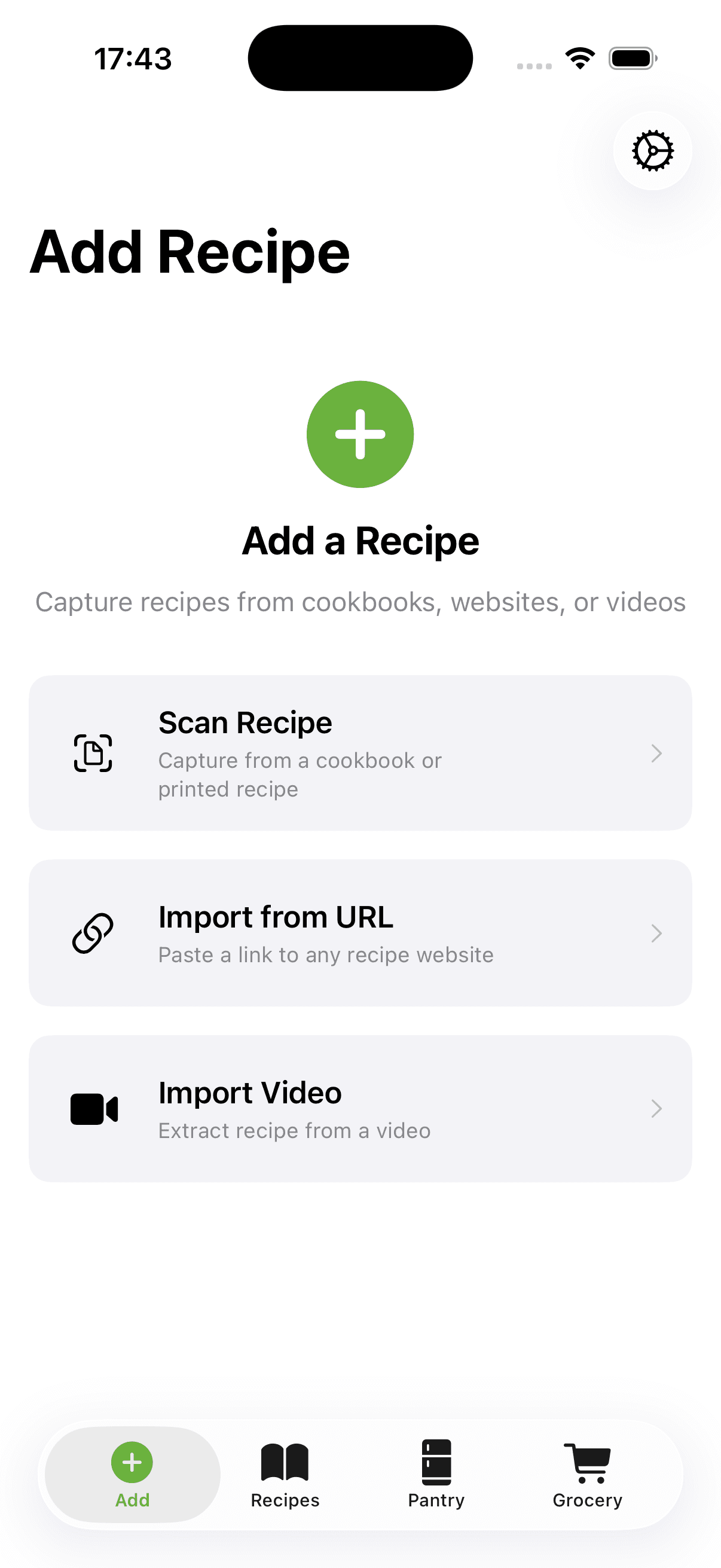
2. If you copied it, open CookFlic, tap "Add recipe", then "Paste a link".
3. CookFlic reads the page and saves the recipe: title, photo, servings, cooking time, every ingredient and every step.
If the app does not show a Share button for a recipe, search for it on mealime.com in a browser and copy the address from there. Recipe pages look like mealime.com/recipes/name-of-the-recipe/12345.
We tested this on live Mealime recipes on September 30, 2026. Each one came through complete, photo included.
It does not use your free AI imports
Mealime recipe pages include standard recipe data, the same markup most big recipe sites use. CookFlic reads that directly, so a Mealime link imports without AI and does not count against the free AI imports that photo and video imports use.
The free plan holds up to 25 recipes, with no ads and no time limit. If your collection is larger, the Lifetime or subscription plan removes the limit.
Recipes you imported or wrote in Mealime
If you imported a recipe into Mealime from another website, find the original page again (search the recipe name if you do not have the link) and import it into CookFlic the same way as above.
Recipes you created by hand inside Mealime have no public link. Take a screenshot of each one and import it as a photo, or type it in. Photo imports use AI, so on the free plan they count toward your AI imports.
Start with what you actually cook
You do not need to move everything. Open your Mealime favorites and move the ten or fifteen recipes you cooked in the last few months first. Then plan next week in CookFlic with them, so you are not left without a shopping list when Mealime goes dark.
CookFlic is not affiliated with Mealime or Albertsons.
Ready to cook with what you have?
CookFlic captures recipes from anywhere, matches them to your pantry, and guides you step-by-step. See all features →
DownloadFrequently Asked Questions
What is the best Mealime alternative?
It depends on what you used Mealime for. If you want Mealime's recipe library, Meals Hub keeps it. If you want a planner that picks recipes for you, choose a service with its own library. If you cooked your own favorites and want them, plus recipes from anywhere, on every device with an aisle-sorted shopping list, CookFlic fits.
Can I import all my Mealime recipes at once?
Not yet. Mealime has no export, so each recipe moves by its link, one at a time. Most take a few seconds.
Does importing Mealime recipes cost anything?
No. Mealime links import through standard recipe data, not AI, so they are free and do not use your AI imports. The free plan holds up to 25 recipes.
Does CookFlic make meal plans for me like Mealime did?
No. You choose the recipes and place them on the week. CookFlic then builds one shopping list sorted by aisle, and can leave out what you already have in your kitchen.
What happens to my Mealime data after October 21?
Mealime says account data is deleted when the app closes. Anything you want to keep needs to be moved before then.
Related articles
6 min read
How to Import Recipes From Any Website, Video, or Cookbook
Stop saving recipes in five different places and never finding them again. Here is how to import recipes from any source — URLs, YouTube videos, cookbooks, and apps — into one searchable library on your iPhone.
7 min read
Why Meal Planning Starts With Your Pantry
Stop planning meals you will not cook. The best way to meal plan from your pantry is to start with what you already have — not a list of recipes from a food blog.